

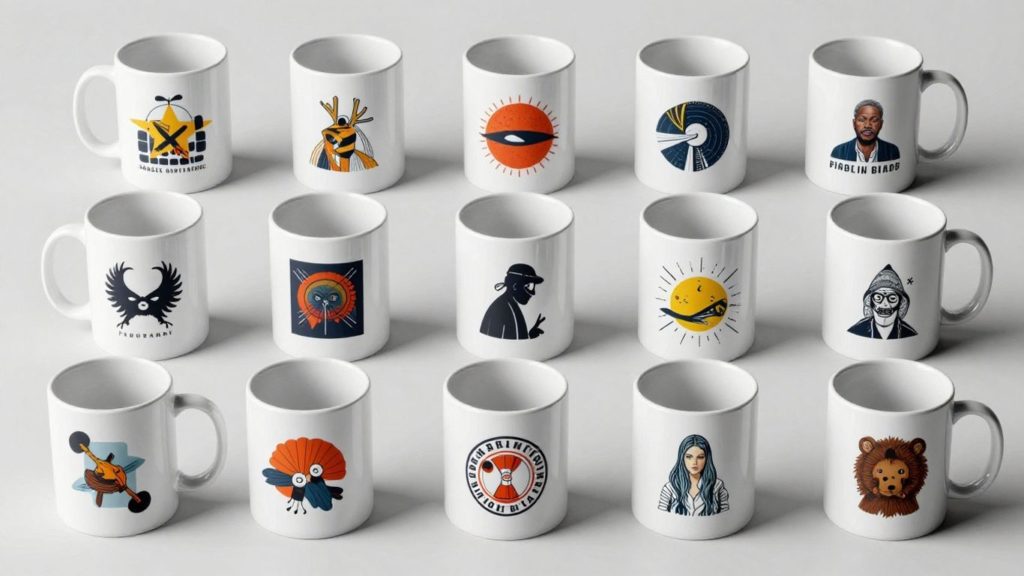
Thinking about selling stuff online? Print-on-demand is a popular way to do it, and now, AI is making it even easier. You can use these tools to create designs, manage your store, and even figure out what to sell. It’s a pretty cool way to get your ideas out there and maybe make some money without a huge upfront investment. This guide will walk you through how to use AI tools to make money online with print-on-demand.
Key Takeaways
- AI art generators like Midjourney and DALL-E 3 can help you create unique designs for your products quickly.
- Tools such as Printify and Printful use AI to simplify parts of the print-on-demand process, like creating mockups or applying designs to multiple items.
- You can use AI tools like Jasper Art and Canva to help with writing product descriptions and optimizing your designs.
- When using AI for designs, it’s important to understand copyright and make changes to ensure your work is original and legally sound.
- By combining AI for design and operations with a print-on-demand platform, you can create a business that’s efficient and potentially profitable.
Leveraging AI Art Generators for Unique Designs
Tired of seeing the same old designs on t-shirts and mugs? AI art generators are here to shake things up. These tools let you create truly original artwork from simple text descriptions, opening up a whole new world for your print-on-demand business. Instead of relying on stock images or spending a fortune on designers, you can generate unique graphics that really stand out.
Exploring Midjourney for Highly Detailed Artwork
Midjourney is a popular choice if you’re aiming for really intricate and artistic visuals. It works through Discord, which might seem a bit different at first, but it’s pretty straightforward once you get the hang of it. You type in a description of what you want – think of it like giving instructions to an artist – and Midjourney whips up a few options for you. The results can be stunningly detailed, perfect for designs that need that extra wow factor. It’s not free, and it doesn’t spit out vector files, but for unique, high-quality art, it’s a solid option.
- Join the Midjourney Discord server.
- Craft a detailed text prompt. Be specific! Instead of “a dog,” try “a fluffy corgi wearing a tiny crown, sitting on a velvet cushion, digital painting style.”
- Review the generated images. Midjourney usually gives you four variations.
- Upscale and download your favorite. You’ll then need to edit it for your products.
Utilizing DALL-E 3 for User-Friendly Image Creation
DALL-E 3 is known for being pretty easy to use, especially if you’re already familiar with tools like ChatGPT. You give it a text prompt, and it generates images. It’s great for creating a wide range of styles, from photorealistic to more illustrative. Because it’s generally accessible and user-friendly, it’s a good starting point for many print-on-demand sellers who want to experiment with AI art without a steep learning curve. You can often get good results with simpler prompts, making it quick to iterate on ideas.
Discovering DreamStudio for Enhanced Customization Control
DreamStudio, powered by Stable Diffusion, offers a bit more control over the creative process. If you like tweaking settings and having a say in how the final image looks, this might be the tool for you. You can adjust parameters like the style, aspect ratio, and even the specific model used. This level of customization means you can really fine-tune your designs to match your brand’s aesthetic. It’s a good option for those who want to go beyond basic generation and really sculpt their AI art.
Understanding Adobe Firefly for Seamless Integration
Adobe Firefly is designed to work smoothly within the Adobe ecosystem, which is a big plus if you already use Photoshop or Illustrator. It’s trained on Adobe Stock images and openly licensed content, which helps address some of the copyright concerns that can come with AI art. Firefly offers features like text-to-image generation and generative fill, allowing you to add or remove elements from existing images or create new ones entirely. Its integration makes it easy to incorporate AI-generated elements into your existing design workflow without a lot of hassle. You can find tools like Pixelbin’s AI art generator that also focus on creating high-quality visuals from text prompts, suitable for various uses without watermarks.
Streamlining Print-on-Demand Operations with AI
Okay, so you’ve got some awesome AI-generated designs ready to go. That’s fantastic! But how do you actually get them onto products and into your customers’ hands without losing your mind? This is where AI really starts to help out with the nitty-gritty of running a print-on-demand business. Think of it as having a super-efficient assistant who handles a lot of the repetitive stuff so you can focus on what you do best – creating and selling.
Integrating AI Design Tools with Printify
Printify is a popular platform for print-on-demand sellers, and they’re starting to bake AI right into their system. This means you might not even need to jump between a separate AI art generator and Printify. The idea is to make the design process smoother. You could potentially generate ideas or even full designs within the Printify environment, or easily upload and adapt designs you’ve made elsewhere. This integration aims to cut down on the back-and-forth, saving you time and potential headaches. It’s all about keeping your workflow tidy and efficient.
Automating Product Previews with Printful’s AI Mockup Generator
Showing customers what a design looks like on a t-shirt, mug, or tote bag is super important. Traditionally, this meant creating mockups manually, which can be a real drag. Printful, another big player in the POD space, has an AI mockup generator. You upload your design, and the AI can automatically place it onto various product templates. It’s pretty neat because it can whip up a bunch of different product mockups really fast. This lets you see how your art looks on different items and gives your online store a professional look without you having to be a Photoshop wizard.
Simplifying Design Application with Printify’s AI Design Tool
Similar to the integration point, Printify’s specific AI design tool is designed to make applying your artwork to products much simpler. Instead of just uploading a flat image, these tools might help you resize, position, or even suggest placements for your designs on different apparel types or accessories. Imagine you have a cool pattern; an AI tool could help you repeat it or wrap it around a mug more easily than doing it by hand. It takes some of the guesswork out of making sure your design looks good and is ready for printing.
The goal of these AI-powered operational tools is to remove friction. If you can generate designs, preview them on products, and prepare them for sale with fewer manual steps, you’re freeing up your energy to grow your business. It’s about working smarter, not just harder, in the competitive world of online selling.
Enhancing Your Print-on-Demand Strategy with AI Tools
So, you’ve got your designs ready, or at least you’re getting there with those AI art generators we talked about. But how do you actually make these tools work for your print-on-demand business, beyond just making pretty pictures? It’s about being smart with your workflow and using AI to do the heavy lifting. Think of it as having a bunch of super-helpful assistants who never sleep.
Using Jasper Art for Content and Image Generation
Jasper Art is pretty neat because it doesn’t just stop at making images. It’s also got some serious chops when it comes to writing. This means you can use it to brainstorm design ideas, generate the actual artwork, and then immediately use its copywriting features to whip up product descriptions. This dual capability can save you a ton of time. Imagine creating a cool cat design and then having Jasper write a funny, engaging description for your t-shirt listing, all within the same platform. It’s a real time-saver for getting products up for sale quickly. You can find more about AI pricing models to help you price these new products effectively.
Optimizing Designs with Canva’s AI Capabilities
Canva has really stepped up its game with AI features. While it’s always been a go-to for easy design work, its AI tools can now help you refine those AI-generated images. Maybe you got a great image from Midjourney, but it needs a slight tweak, or you need to resize it for a mug versus a t-shirt. Canva’s AI can help with background removal, upscaling images, and even suggesting design layouts. It’s about taking that raw AI art and making it perfect for whatever product you’re putting it on. It makes the whole process feel much more polished.
Exploring TinyWow as a Free Multipurpose AI Toolkit
If you’re watching your budget, TinyWow is a fantastic resource. It’s like a Swiss Army knife for AI tasks. You can generate images, convert file types (which is super handy for print-on-demand specs), remove backgrounds, and even get help with writing. It’s not as fancy as some of the dedicated tools, but for basic needs and trying things out without spending money, it’s surprisingly powerful. It’s a great way to experiment with different AI applications for your business without any financial commitment.
Using a mix of these tools can really speed up your entire process. From generating the initial art to making sure it looks good on a product and then writing a description that sells, AI can be your best friend. It’s not about replacing your creativity, but about giving you more power and speed to bring your ideas to life.
Here’s a quick look at how these tools can fit into your workflow:
- Jasper Art: Great for generating both the image and the marketing copy.
- Canva: Perfect for editing, resizing, and polishing your AI art.
- TinyWow: Your free, all-around helper for various AI tasks.
By integrating these kinds of tools, you’re not just making designs; you’re building a more efficient and potentially more profitable print-on-demand business.
Choosing the Right AI Tools for Your Business
So, you’ve decided to jump into the world of AI for your print-on-demand (POD) business. That’s awesome! But with so many tools out there, picking the right ones can feel a bit overwhelming. It’s not just about grabbing the flashiest option; it’s about finding what actually fits your workflow and helps you make more sales.
Assessing AI Tools Based on Specific Needs
Think about what you actually need the AI to do. Are you struggling to come up with unique designs? Or maybe you’re spending too much time writing product descriptions? Different tools are built for different jobs. For example, if your main bottleneck is creating eye-catching artwork, you’ll want to look at AI art generators. Tools like Midjourney are great for detailed, artistic pieces, while DALL-E 3 is often praised for its user-friendliness and ability to create a wide range of images from simple text prompts. If you’re already deep in the Adobe ecosystem, Adobe Firefly might be a natural fit, allowing for seamless integration with your existing design software.
Considering Ease of Use and Learning Curves
Let’s be real, none of us have endless hours to spend learning complicated software. Some AI tools are pretty intuitive – you type in what you want, and it spits out an image or text. Others, like DreamStudio, offer more granular control, which is fantastic for fine-tuning your creations, but it does come with a steeper learning curve. You’ll want to balance the power of a tool with how quickly you can actually start using it effectively. A free trial is your best friend here; test drive a few options before committing.
Evaluating Cost and Pricing Models
Money matters, right? AI tools range from completely free to quite pricey subscription services. TinyWow, for instance, is a great free option for various tasks. Then you have tools like Jasper Art, which offers a blend of image and content generation for a monthly fee. Printify also has AI features that are part of its platform, with costs tied to their plans and your printing needs. It’s smart to create a simple table to compare what you get for what you pay:
| Tool | Primary Use | Free Tier? | Starting Price (Monthly) | |
| Midjourney | Art Generation | No | $10 | |
| DALL-E 3 | Image Creation | No | $15 | |
| TinyWow | Multipurpose | Yes | $0 | |
| Jasper Art | Content & Images | No | $39 | |
| Canva | Editing & Design | Yes | $0 (Pro starts at $15) |
Don’t just look at the sticker price. Consider the value each tool brings to your business. Sometimes paying a bit more for a tool that saves you significant time or produces much better results is a smart investment.
Ultimately, the best AI tool for your business is the one that helps you create great products, sell more, and doesn’t break the bank. Start small, experiment, and see what works best for you.
Ethical Considerations and Best Practices for AI in POD
Understanding Copyright Laws for AI-Generated Content
When you’re using AI to whip up designs for your print-on-demand products, you’ve got to be aware of the copyright situation. It’s not always as straightforward as you might think. The key is to make sure you have the rights to use the images you’re putting on your merchandise. Some AI tools might use images that are already copyrighted, and just because the AI generated it doesn’t automatically mean it’s free for you to use commercially. It’s a bit of a gray area sometimes, and laws are still catching up.
Modifying AI Images for Uniqueness and Legal Compliance
So, you’ve got an image from an AI generator. What now? Just slapping it onto a t-shirt might not be the best move. To really make it your own and to help avoid any potential copyright headaches, you should definitely tweak it. Think about changing colors, adding elements, or combining it with other graphics. The goal is to make the final design distinct enough that it’s clearly your creation, not just a copy of what the AI spat out. This also helps your products stand out from others using similar AI tools.
Collaborating with Designers for Enhanced Quality
Sometimes, even with the best AI tools, you might hit a wall. Maybe the image isn’t quite perfect, or you want to add a professional touch. That’s where working with a human designer can be a game-changer. They can take your AI-generated concept and refine it, fix any oddities, and make sure it aligns perfectly with your brand. Plus, a designer can help you spot potential issues with the AI art before you print thousands of items.
Here are a few things to think about when using AI art:
- Check the AI tool’s terms of service: Understand what rights you have to the generated images.
- Alter the output: Make significant changes to the AI image to create something unique.
- Combine AI with your own work: Blend AI elements with your original designs.
- Consider commercial use licenses: Some platforms offer specific licenses for commercial use.
It’s wise to err on the side of caution. If there’s any doubt about the ownership or usage rights of an AI-generated image, it’s better to find an alternative or modify it substantially. Your business’s reputation and legal standing are too important to risk.
Monetizing AI Creations Through Print-on-Demand
So, you’ve been playing around with AI art generators and have some really cool designs. Now what? The next step is turning those digital creations into actual products people can buy. This is where print-on-demand (POD) services really shine, especially when you’re working with AI art.
Turning AI Art into Sellable Products
This is probably the most direct way to make money with your AI art. You generate an image, upload it to a POD platform, and they handle the rest – printing, packing, and shipping. It’s pretty neat because you don’t need to buy any stock or worry about managing inventory. Think t-shirts, mugs, posters, tote bags – you name it. The key is to create designs that people actually want to buy. This means looking at trends, finding a niche, or just making something visually striking.
Here’s a basic rundown of how it works:
- Generate Your Art: Use tools like Midjourney or DALL-E 3. Be specific with your prompts to get unique results. For example, instead of “dog,” try “a fluffy corgi wearing a tiny crown, sitting on a velvet cushion, in a Renaissance painting style.”
- Refine and Prepare: AI art sometimes needs a little cleanup. You might need to upscale the image for better print quality or remove any weird artifacts. Tools like Canva or even some built-in features on POD sites can help with this.
- Upload to a POD Platform: Services like Printify or Printful let you upload your designs and apply them to various products. They have mock-up generators so you can see how your design looks on a t-shirt before you list it.
- List and Sell: Connect your POD account to an online store (like Etsy or Shopify) and start selling. The goal is to create a cohesive collection of designs that appeal to a specific audience.
Leveraging AI for Efficient Product Listing Creation
Once you have your designs ready, you need to list them in your store. This is where AI can seriously speed things up. Writing product descriptions and titles can be a drag, but AI writing tools can help.
- Compelling Titles: AI can suggest catchy titles that include relevant keywords people might search for.
- Detailed Descriptions: You can ask AI to write descriptions that highlight the unique aspects of your design, the product quality, and the overall vibe you’re going for. Just tell it the style you want – maybe “quirky and fun” or “elegant and minimalist.”
- Keyword Research: AI can help identify popular search terms related to your designs, which can improve your store’s visibility.
Scaling Your Business with AI-Driven Automation
As your print-on-demand business grows, you’ll want to find ways to automate tasks. AI is perfect for this. Beyond design and listing creation, AI can help with:
- Customer Service: AI chatbots can handle basic customer inquiries 24/7, freeing you up to focus on more complex issues.
- Marketing Content: AI can help generate social media posts, ad copy, and even email newsletters to promote your products.
- Trend Analysis: Some AI tools can help identify emerging design trends or popular product types, giving you a heads-up on what to create next.
The real power of AI in print-on-demand isn’t just about making cool art; it’s about streamlining the entire process from creation to sale. By using AI for design, copywriting, and even customer service, you can build a more efficient and scalable business.
Think of AI as your business partner. It can handle a lot of the repetitive or time-consuming tasks, allowing you to focus on the creative vision and strategic growth of your print-on-demand venture. It’s about working smarter, not just harder, to get your AI-generated art out into the world and into customers’ hands.
Wrapping It Up
So, we’ve looked at how AI tools can really shake things up for your print-on-demand business. From dreaming up wild designs with tools like Midjourney or DALL-E 3, to streamlining your whole process with platforms like Printify, there’s a lot to play with. It’s not about replacing your creativity, but giving it a boost. Think of these tools as your new design buddies, helping you make cool stuff faster and maybe even discover designs you wouldn’t have thought of otherwise. Just remember to keep an eye on copyright and make the art your own. Give them a try and see what you can create!
Frequently Asked Questions
What are AI art generators and how can they help with print-on-demand?
AI art generators are computer programs that can create unique images from simple text descriptions. For print-on-demand, they help you make cool designs for t-shirts, mugs, and more without needing to be an artist yourself. Tools like Midjourney and DALL-E 3 can turn your ideas into eye-catching artwork in just a few seconds.
Can I use AI-generated images for my business without legal issues?
Yes, you can use AI images for your print-on-demand business, but it’s important to be careful. While many tools allow commercial use, it’s best to change the images a bit to make them your own. This helps avoid copyright problems and makes your designs stand out.
Are there free AI tools I can use to start creating designs?
Absolutely! Some AI tools offer free versions or trials. For example, TinyWow is a great free toolkit, and Bing Image Creator can give you basic results. Canva also has free AI features that can help you edit and improve your designs.
How do AI tools help with the business side of print-on-demand, not just designs?
AI tools can do more than just create art. Some can help you write catchy product descriptions, create realistic product pictures (mockups) automatically, and even help you figure out what designs people want to buy. This saves you time and effort on tasks other than designing.
What’s the difference between AI art generators like Midjourney and DALL-E 3?
Midjourney is known for creating very artistic and detailed images, often with a unique style. DALL-E 3 is praised for being super easy to use and good at understanding exactly what you ask for in your text description. Both are great for making designs, but they have slightly different strengths.
How can I make sure my AI designs are unique and not just copies?
To make your AI designs truly yours, try adding your own personal touches. You can edit the images using tools like Canva, combine different AI-generated elements, or add text and other graphics. The goal is to transform the AI’s creation into something that reflects your brand and style.
