

Creating content on YouTube doesn’t mean you need to be in front of the camera anymore. Faceless YouTube channels are taking over the platform, and AI tools are making it easier than ever to produce high-quality videos without showing your face.
Whether you’re building a motivational channel, tech explainer videos, or AI-generated story content, the right AI tools can transform your workflow. In this guide, we’ll explore the 10 best AI tools for faceless YouTube channels that can help you automate scripting, generate voiceovers, create videos, and design thumbnails—all while saving time and money.
If you’re ready to start your faceless YouTube journey, these tools will give you everything you need to succeed in 2026. 7 Free AI Tools for TikTok Automation
What Are Faceless YouTube Channels?
Faceless YouTube channels are content platforms where creators produce videos without appearing on camera. Instead of traditional vlogging, these channels rely on voiceovers, stock footage, AI-generated visuals, animations, and text overlays to deliver their message.
Popular types of faceless content include:
- Story narration and true crime videos
- Motivational and self-improvement content
- Tech explainer and educational videos
- AI animation channels
- Product reviews using B-roll footage
- Meditation and relaxation content
The beauty of faceless channels is that anyone can start one. You don’t need expensive equipment, a professional studio, or even on-camera confidence. With AI tools, you can automate most of the production process and focus on creating engaging content that resonates with your audience.
Why Use AI Tools for Faceless YouTube Channels?
Creating videos manually takes hours of work—from writing scripts to recording voiceovers and editing footage. AI tools for faceless YouTube channels eliminate these bottlenecks and offer several key advantages:
Key Benefits:
- Faster content creation: Produce videos in minutes instead of hours
- Cost-effective: Many tools offer free plans or affordable subscriptions
- No technical skills required: User-friendly interfaces make it easy for beginners
- Automation: Generate scripts, voiceovers, and videos with minimal input
- Consistency: Maintain regular upload schedules without burnout
AI tools handle the heavy lifting across multiple areas:
- Script writing and content ideation
- Natural-sounding AI voice generation
- Automated video creation from text
- Professional thumbnail design
- Smart video editing and effects
By combining these AI tools, you can build a complete content production pipeline that runs smoothly and efficiently.
How We Selected the Best AI Tools
We evaluated dozens of AI platforms to identify the best tools for faceless YouTube channels. Our selection criteria focused on:
Ease of use: Can beginners navigate the platform without extensive training?
YouTube-specific features: Does it support the unique needs of YouTube creators?
Pricing: Are there free plans or affordable options for new creators?
AI automation capability: How much manual work does it eliminate?
Output quality: Do the results look professional and engaging?
Each tool in this list excels in at least one area of the faceless YouTube production workflow. Let’s dive into the complete review.
10 Best AI Tools for Faceless YouTube Channels (2026 Review)
1. ChatGPT – Best AI Tool for YouTube Script Writing
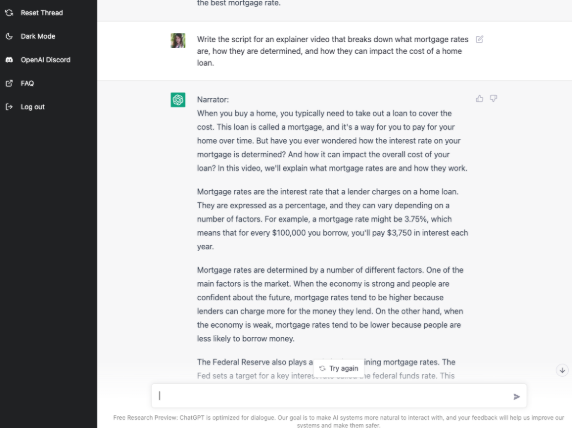
ChatGPT has become the go-to tool for content creators who need compelling scripts quickly. This AI language model can generate complete video scripts, brainstorm content ideas, and even optimize your titles for search engines.
Key Features:
- Generates detailed video scripts based on your topic
- Creates engaging hooks and storytelling structures
- Suggests SEO-optimized titles and descriptions
- Brainstorms unlimited content ideas
- Provides keyword suggestions for better discoverability
Pros:
- Lightning-fast script generation
- Excellent for overcoming writer’s block
- Free version available with GPT-3.5
- Versatile across all content niches
Cons:
- Scripts may need editing for your unique voice
- Requires specific prompts for best results
Pricing: Free plan available; ChatGPT Plus at $20/month
Best For: Script writing, content planning, and ideation for any faceless YouTube channel.
2. ElevenLabs – Best AI Voice Generator for YouTube
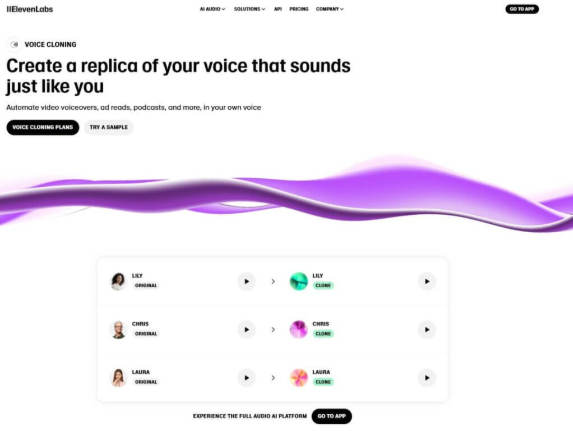
ElevenLabs revolutionized AI voiceovers with incredibly realistic voice synthesis. For faceless YouTube channels, this tool is essential for creating professional narration that sounds completely human.
Key Features:
- Ultra-realistic AI voices in multiple accents
- Voice cloning technology (create your own AI voice)
- Support for 29+ languages
- Adjustable speaking pace and emotion
- High-quality audio output perfect for YouTube
Pros:
- Most natural-sounding AI voices on the market
- Easy integration into video workflows
- Professional quality without expensive recording equipment
Cons:
- Limited free credits (10,000 characters/month)
- Voice cloning requires paid plans
Pricing: Free tier available; paid plans start at $5/month
Best For: Narration videos, storytelling channels, and any content requiring professional voiceovers.
3. Pictory AI – Best AI Tool for Turning Scripts into Videos
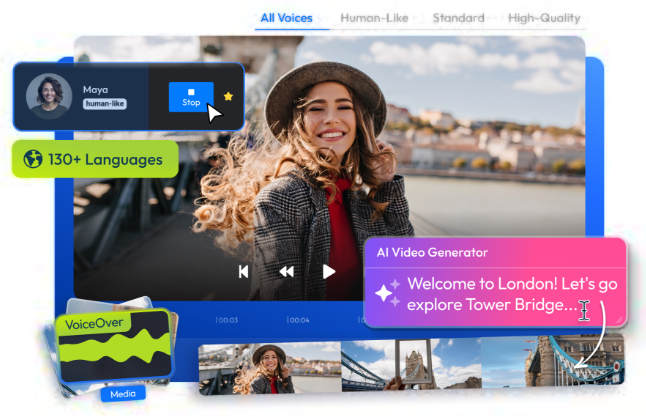
Pictory AI simplifies video creation by automatically converting your scripts into complete videos with stock footage, music, and voiceovers. It’s perfect for creators who want to automate the entire video production process.
Key Features:
- Text-to-video conversion in minutes
- Massive library of stock footage and images
- Built-in AI voiceovers
- Automatic subtitle generation
- Scene-by-scene editing capabilities
Pros:
- Extremely beginner-friendly interface
- Fast video production workflow
- No video editing experience required
Cons:
- Limited customization compared to traditional editors
- Stock footage may appear in other creators’ videos
Pricing: Free trial available; paid plans from $23/month
Best For: Quick video creation for educational content, list videos, and explainer channels.
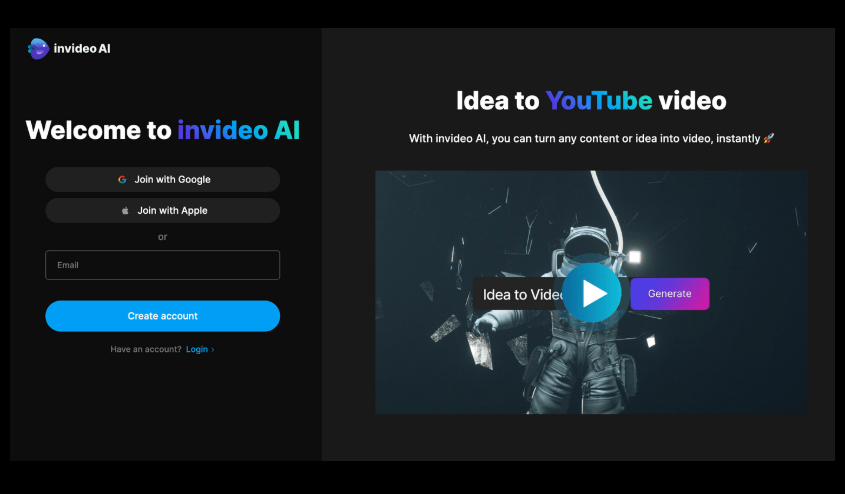
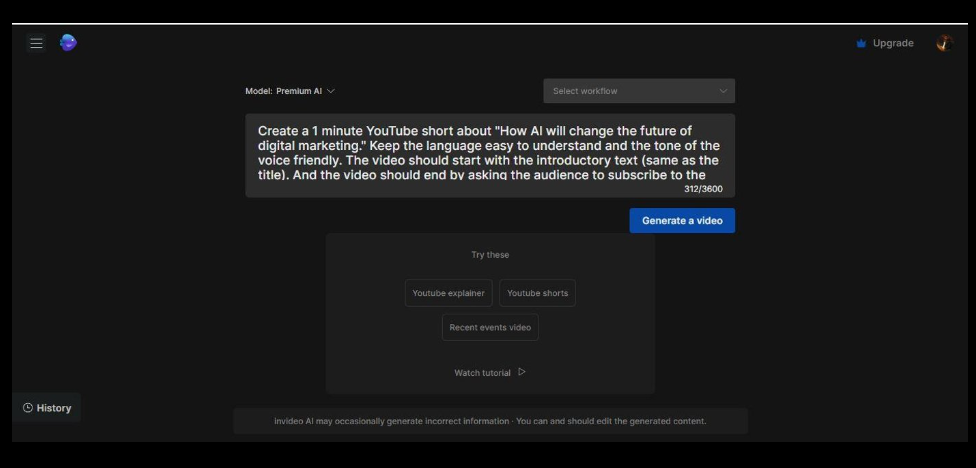
4. InVideo AI – Best AI Video Generator for YouTube Automation
InVideo AI takes automation to the next level with prompt-based video creation. Simply describe your video idea, and the AI generates a complete video with script, footage, music, and transitions.
Key Features:
- Create videos from simple text prompts
- Automatic script writing and storyboarding
- Extensive media library with 8 million+ assets
- Brand customization options
- Direct YouTube export
Pros:
- True end-to-end video automation
- Great for batch content creation
- Professional templates for various niches
Cons:
- Full features require paid subscription
- Learning curve for advanced customization
Pricing: Free plan with watermark; paid plans from $20/month
Best For: High-volume content creators and YouTube automation channels.
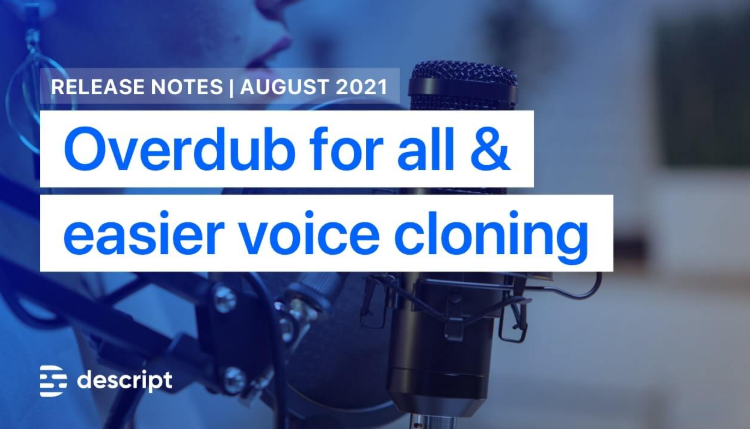
5. Descript – Best AI Tool for Editing Voice & Videos
Descript revolutionizes video editing by treating it like a text document. Edit your video by editing the transcript, making it incredibly intuitive for content creators without traditional editing skills.
Key Features:
- Text-based video editing
- AI voice cloning (Overdub feature)
- Automatic transcription and subtitles
- Remove filler words automatically
- Screen recording and podcast editing
Pros:
- Powerful editing capabilities
- Unique approach that’s faster than timeline editing
- Great for repurposing content
Cons:
- Steeper learning curve than simpler tools
- Best features require paid plans
Pricing: Free tier available; paid plans from $12/month
Best For: Creators who want professional editing control with AI assistance.
6. Canva AI – Best AI Tool for Thumbnails & Graphics
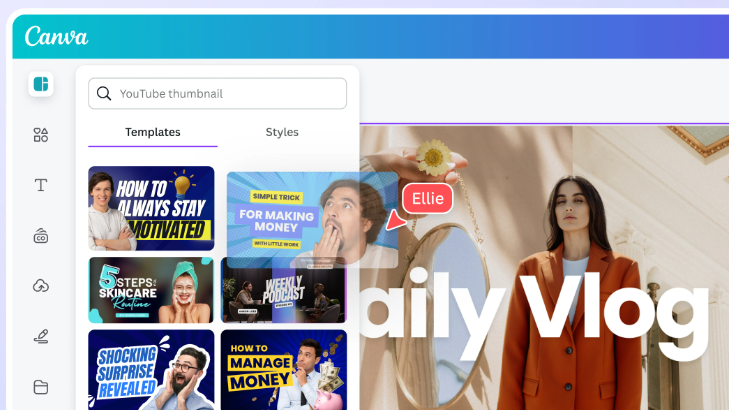
Thumbnails make or break your YouTube success. Canva’s AI-powered design tools help you create eye-catching thumbnails and graphics without any design experience.
Key Features:
- Thousands of YouTube thumbnail templates
- AI image generator (Magic Media)
- Background remover and photo enhancer
- Basic video editing capabilities
- Brand kit for consistent branding
Pros:
- Extremely user-friendly drag-and-drop interface
- Huge template library
- Free version is very functional
Cons:
- Limited video automation features
- Some premium elements require paid subscription
Pricing: Free plan available; Canva Pro at $12.99/month
Best For: Creating professional thumbnails, channel art, and visual graphics.
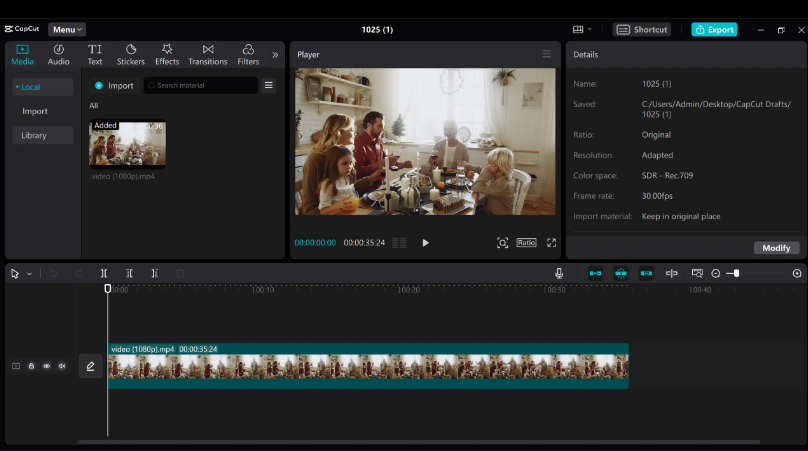
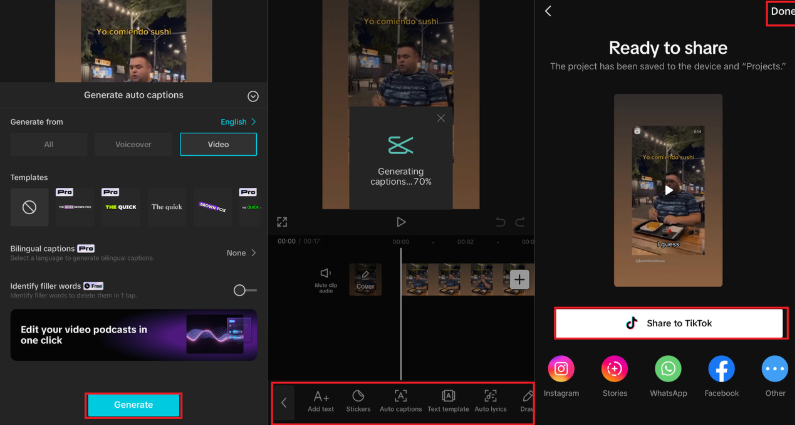
7. CapCut AI – Best Free AI Video Editing Tool
CapCut has become the favorite editing tool for content creators, offering powerful AI features in a completely free package. It’s particularly popular among YouTube creators who need professional results without subscription fees.
Key Features:
- AI-powered auto captions with high accuracy
- Smart editing suggestions and scene detection
- Extensive effects and transition library
- Background removal and green screen
- Trending templates and presets
Pros:
- Completely free with no watermarks
- Available on desktop and mobile
- Regular updates with new AI features
Cons:
- Requires some manual editing skills
- Less automation than dedicated AI video generators
Pricing: Free (with optional Pro features)
Best For: Creators who want editing control with AI assistance at no cost.
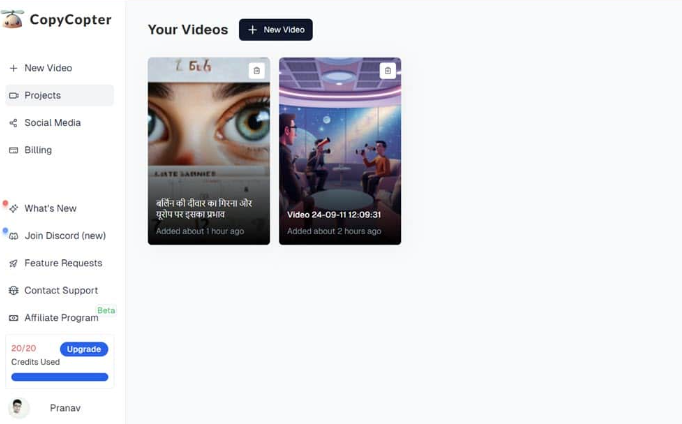
8. CopyCopter AI – Best AI Tool for YouTube Automation
CopyCopter specializes in creating story-based and motivational content automatically. It’s designed specifically for faceless YouTube channels that focus on narrative content.
Key Features:
- AI-powered story video generation
- Automated script creation for trending topics
- Built-in voice synthesis
- Optimized for YouTube shorts and long-form content
- Trending content suggestions
Pros:
- Great for storytelling niches
- Quick video turnaround
- Focuses on viral content formats
Cons:
- Limited customization options
- Best suited for specific content types
Pricing: Paid plans starting around $20/month
Best For: Story narration channels, motivational content, and Reddit story videos.
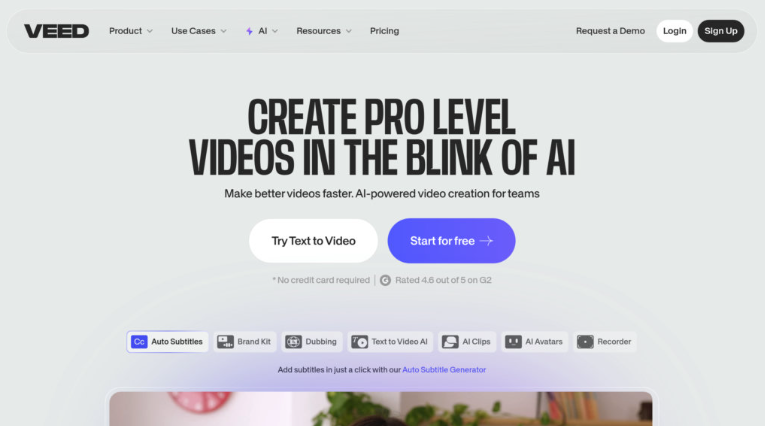
9. VEED AI – Best Online AI Video Creator
VEED operates entirely in your browser, making it accessible from any device without software installation. It combines AI features with traditional editing tools for maximum flexibility.
Key Features:
- Automatic subtitle generation and translation
- AI avatar creation for faceless presenters
- Built-in stock footage and music library
- Screen recording capabilities
- One-click video templates
Pros:
- No software download required
- Clean, intuitive interface
- Good balance of automation and control
Cons:
- Export limits on free plan
- Requires stable internet connection
Pricing: Free plan available; paid plans from $18/month
Best For: Creators who work across multiple devices and prefer browser-based tools.
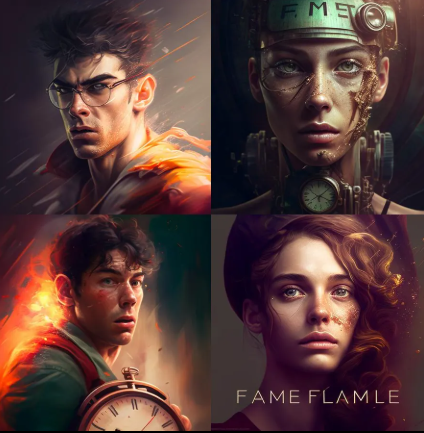
10. Midjourney / AI Image Generators – Best for YouTube Visuals
While not a video tool per se, AI image generators like Midjourney, DALL-E, and Stable Diffusion create unique visuals that help your faceless channel stand out. They’re perfect for custom thumbnails, video backgrounds, and storytelling scenes.

Key Features:
- Generate unique artwork from text descriptions
- Create custom scene illustrations
- Design attention-grabbing thumbnail images
- Produce consistent character designs
- Style customization for brand cohesion
Pros:
- Completely original visuals
- Unlimited creative possibilities
- Stand out from stock footage
Cons:
- Requires skill in writing effective prompts
- Learning curve to get consistent results
Pricing: Varies by platform (Midjourney from $10/month)
Best For: Channels needing unique visual content and custom thumbnail designs.
Comparison Table: Best AI Tools for Faceless YouTube Channels
| Tool | Best For | Free Plan | Difficulty Level |
|---|---|---|---|
| ChatGPT | Script writing | Yes | Easy |
| ElevenLabs | Voiceovers | Limited | Easy |
| Pictory | Text to video | Yes | Easy |
| InVideo AI | Video automation | Yes | Easy |
| Descript | Editing | Yes | Medium |
| Canva | Thumbnails | Yes | Easy |
| CapCut | Editing | Yes | Easy |
| CopyCopter | Automation | No | Easy |
| VEED | Video creation | Yes | Easy |
| Midjourney | Visuals | No | Medium |
How to Create a Faceless YouTube Video Using AI (Step-by-Step)
Now that you know the best AI tools for faceless YouTube channels, here’s a simple workflow to create your first video:
Step 1 – Write Your Script
Use ChatGPT to generate a compelling script. Give it your topic, target audience, and desired video length. Edit the output to match your channel’s voice.
Step 2 – Generate the Voiceover
Copy your script into ElevenLabs and select an AI voice that fits your content. Download the audio file once generated.
Step 3 – Create the Video
Import your script into Pictory or InVideo AI. The tool will automatically match footage to your content and sync it with your voiceover.
Step 4 – Edit and Enhance
Fine-tune your video in CapCut or Descript. Add transitions, effects, and ensure everything flows smoothly.
Step 5 – Design Your Thumbnail
Create an eye-catching thumbnail in Canva AI using templates or custom designs. Make sure it includes clear text and compelling visuals.
Step 6 – Optimize and Upload
Write an SEO-friendly title and description (ChatGPT can help here too), add relevant tags, and upload to YouTube.
Tips for Growing a Faceless YouTube Channel
Building a successful faceless YouTube channel requires more than just the right tools. Follow these proven strategies:
Choose Low-Competition Niches: Research keywords with decent search volume but lower competition. Tools like TubeBuddy can help identify opportunities.
Upload Consistently: The YouTube algorithm rewards consistency. Create a realistic schedule you can maintain (2-3 videos per week is ideal).
Focus on Storytelling: Even without showing your face, strong storytelling keeps viewers engaged. Structure your content with clear beginnings, middles, and ends.
Optimize for Search: Use AI tools to research trending topics in your niche. Include keywords naturally in titles, descriptions, and video content.
Engage with Your Audience: Respond to comments and create content based on viewer requests. Build a community even without showing your face.
Test Different Content Types: Try various formats—list videos, how-tos, stories, or commentary—to see what resonates with your audience.
Invest in Quality: While AI tools automate the process, maintain high standards. Poor audio or mismatched visuals will hurt your channel’s growth.
Final Verdict
After reviewing the best AI tools for faceless YouTube channels, here’s our recommendation:
Best Overall AI Tool: InVideo AI offers the most complete automation workflow, from script to finished video.
Best Free AI Tool: CapCut provides professional editing features without any cost, making it perfect for beginners.
Best Automation Tool: Pictory AI delivers the fastest text-to-video conversion with minimal input required.
The real power comes from combining multiple tools. Use ChatGPT for scripts, ElevenLabs for voiceovers, Pictory or InVideo for video creation, and Canva for thumbnails. This comprehensive approach gives you the best results while maintaining complete creative control.
Remember, AI tools are accelerators, not replacements for good content strategy. Focus on providing value to your viewers, and these tools will help you produce high-quality videos consistently.
FAQs
What are the best AI tools for faceless YouTube channels?
The best AI tools include ChatGPT for script writing, ElevenLabs for voiceovers, Pictory or InVideo AI for video creation, CapCut for editing, and Canva for thumbnails. Combining these tools creates a complete production workflow.
Can you monetize AI YouTube channels?
Yes, YouTube allows monetization of AI-generated content as long as you follow their policies. You must disclose AI-generated content in certain cases, provide original value, and comply with copyright laws. Many successful channels use AI tools and earn through ads, sponsorships, and affiliate marketing.
Are faceless YouTube channels profitable in 2026?
Absolutely. Many faceless channels generate significant income through AdSense revenue, affiliate commissions, and sponsorships. Popular niches like motivation, finance education, tech reviews, and story narration perform particularly well. Success depends on consistent uploads, niche selection, and content quality.
Is it legal to use AI for YouTube videos?
Yes, using AI tools to create YouTube content is completely legal. However, you must own or have rights to any source material, follow YouTube’s community guidelines, disclose AI-generated content when required, and avoid creating misleading or harmful content. Always review YouTube’s latest policies on AI-generated content.
Ready to start your faceless YouTube channel? Pick the AI tools that match your content style, follow the workflow outlined above, and start creating. The barrier to entry has never been lower, and with consistent effort, you can build a successful channel without ever stepping in front of a camera.
