

Introduction
Freelancing in 2026 looks completely different than it did just a few years ago. AI technology has become the secret weapon that separates struggling freelancers from those earning six figures while working fewer hours.
As a freelancer, you’re competing with thousands of others for the same clients. The difference between landing premium projects and scraping by often comes down to one thing: how efficiently you deliver exceptional results. That’s where AI tools for freelancers come in.
I’ve personally tested dozens of AI platforms over the past six months, measuring everything from time saved to quality improvements. Some tools were complete game-changers. Others were overhyped and underdelivered.
In this comprehensive guide, you’ll discover the best free AI tools that actually help freelancers increase productivity, deliver better work, and ultimately make more money. Whether you’re a writer, designer, developer, or marketer, there’s an AI tool here that will transform how you work. AI Website Builder Review
Why Freelancers Should Use AI Tools
Productivity Benefits
The average freelancer wastes 20-30 hours monthly on repetitive tasks that AI can handle in minutes. Think about all the time spent formatting documents, researching topics, editing images, or writing similar emails to different clients.
Automate repetitive work: AI tools can handle administrative tasks, content formatting, image resizing, and data organization automatically. This frees you to focus on high-value creative work that clients actually pay for.
Faster project completion: With AI assistance, freelancers report completing projects 40-60% faster without sacrificing quality. That means you can take on more clients or finally have time for that personal project.
Cost Savings
Here’s the beautiful truth about 2026: many powerful AI tools offer genuinely useful free plans, not just limited trials that expire after a week.
Many AI tools offer powerful free plans: You don’t need to invest hundreds of dollars monthly in software subscriptions. The tools in this guide provide real value at zero cost, perfect for freelancers just starting out or testing new services.
Better Client Results
AI doesn’t just make you faster—it makes you better. Grammar checkers catch embarrassing typos. Design tools suggest professional color palettes. Research assistants find data you’d never discover manually.
Improved quality of content, design, coding, and research: Clients notice the difference. They get polished deliverables, backed by thorough research, delivered on time. That’s how you earn repeat business and premium rates.
How We Tested These AI Tools
Transparency matters. I didn’t just read marketing materials or watch YouTube reviews. Each tool in this guide was tested on actual freelance projects over multiple weeks.
Testing Criteria
- Ease of use: Could I start getting value within 5 minutes, or did it require hours of tutorials?
- Free plan features: What’s actually included for free versus hidden behind paywalls?
- Output quality: Did the AI produce professional-grade work or obvious amateur results?
- Time saved for freelancers: Measured in actual hours saved per week on real projects
- Best use cases: Specific freelancing scenarios where each tool excels
Every tool listed here saved me significant time on at least three different client projects. These aren’t theoretical recommendations—they’re battle-tested solutions.
Quick Comparison Table
| AI Tool | Best For | Free Plan | Ease of Use | Rating |
|---|---|---|---|---|
| ChatGPT | Content writing | Yes | Easy | ⭐⭐⭐⭐⭐ |
| Canva AI | Graphic design | Yes | Easy | ⭐⭐⭐⭐⭐ |
| Notion AI | Productivity | Limited | Medium | ⭐⭐⭐⭐ |
| Grammarly | Writing quality | Yes | Easy | ⭐⭐⭐⭐⭐ |
| Copy.ai | Marketing copy | Limited | Easy | ⭐⭐⭐⭐ |
| Pictory AI | Video content | Trial | Medium | ⭐⭐⭐⭐ |
Best Free AI Tools for Freelancers in 2026 (Detailed Reviews)
ChatGPT – Best AI Writing Assistant for Freelancers
Best For: Content writers, bloggers, copywriters, and marketing freelancers
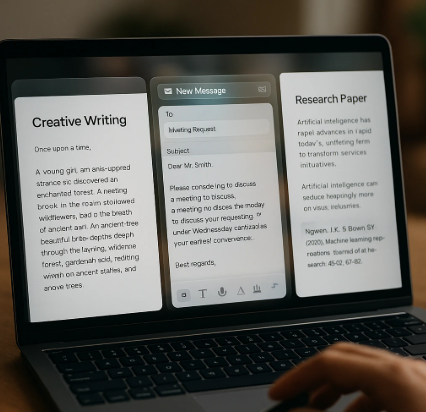
ChatGPT remains the most versatile AI tool for freelancers in 2026. Whether you’re drafting blog posts, responding to client emails, or brainstorming campaign ideas, this AI assistant handles it all.
Key Features
- Blog writing assistance: Generate outlines, first drafts, and research summaries in seconds
- Email and client proposal creation: Write professional communications that actually get responses
- Research and idea generation: Explore topics from multiple angles and discover content gaps
- Code assistance: Debug scripts and write basic automation tools
Pros
- Incredibly powerful and versatile across multiple freelancing niches
- Helps you write 3-5x faster than working alone
- Free version is genuinely useful for daily tasks
- Constant updates and improvements
Cons
- Free plan has usage limits during peak hours
- Requires careful prompting for best results
- Can produce generic content without proper guidance
Freelancer Use Case
A content writer I know uses ChatGPT to research and outline five 2,000-word blog posts every Monday morning. What used to take an entire day now takes 90 minutes. She then spends her afternoons adding unique insights and editing—delivering better content in half the time.
Canva AI – Best AI Tool for Graphic Design
Best For: Social media managers, graphic designers, and marketing freelancers
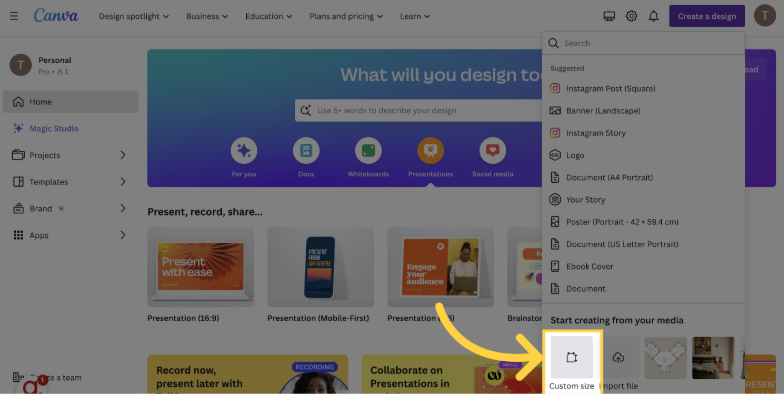
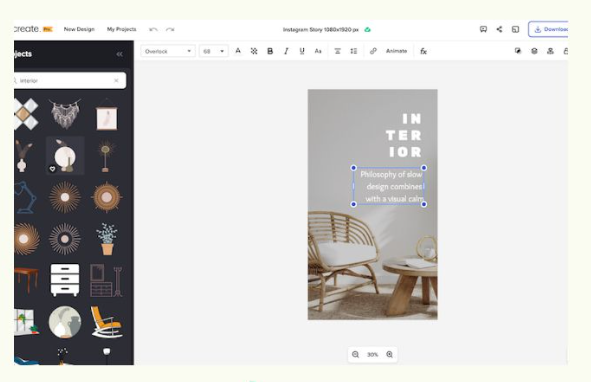
Canva revolutionized design for non-designers, and their AI features in 2026 are simply incredible. The Magic Design and AI image generation tools create professional graphics in literally seconds.
Key Features
- AI image generation: Create custom images from text descriptions
- Magic Design: Upload a photo and get dozens of design variations instantly
- Background removal: One-click subject isolation
- Social media templates: Thousands of pre-sized templates for every platform
Pros
- Extremely beginner-friendly with minimal learning curve
- Massive template library covering every design need
- Free plan includes essential AI features
- Export options for various formats and platforms
Cons
- Advanced AI features like Magic Expand require Pro plan
- Template designs can look generic if not customized
- Limited brand kit features on free version
Freelancer Use Case
Social media freelancers use Canva AI to create a week’s worth of Instagram posts in under an hour. Upload product photos, click Magic Design, and Canva generates 10+ professional variations. Add your captions, schedule, and you’re done.
Notion AI – Best AI Productivity Tool
Best For: Freelancers managing multiple clients, project managers, and consultants
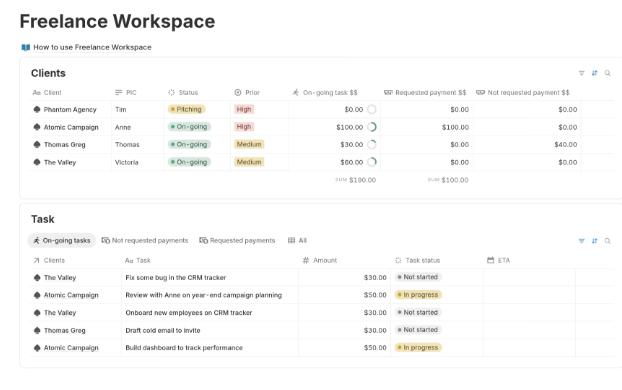
Notion AI transforms the already powerful Notion workspace into an intelligent productivity system. It’s like having a personal assistant who organizes your projects, summarizes meetings, and drafts documents.
Key Features
- AI writing assistant: Draft project briefs, meeting notes, and status updates
- Task automation: Auto-generate action items from meeting notes
- Knowledge management: Organize and summarize research across projects
- Database automation: Create smart views and filters automatically
Pros
- Perfect for freelancers juggling multiple clients
- Centralizes all work in one organized system
- Reduces time spent on administrative tasks
- Collaboration features for client communication
Cons
- Steeper learning curve than simpler tools
- AI features require separate add-on purchase
- Can be overwhelming for beginners
Freelancer Use Case
Freelance consultants use Notion AI to manage client projects. After each meeting, they paste notes into Notion, and the AI extracts action items, deadlines, and key decisions automatically. Everything stays organized without manual filing.
Grammarly AI – Best AI Tool for Writing Quality
Best For: Writers, copywriters, bloggers, and anyone who creates written content
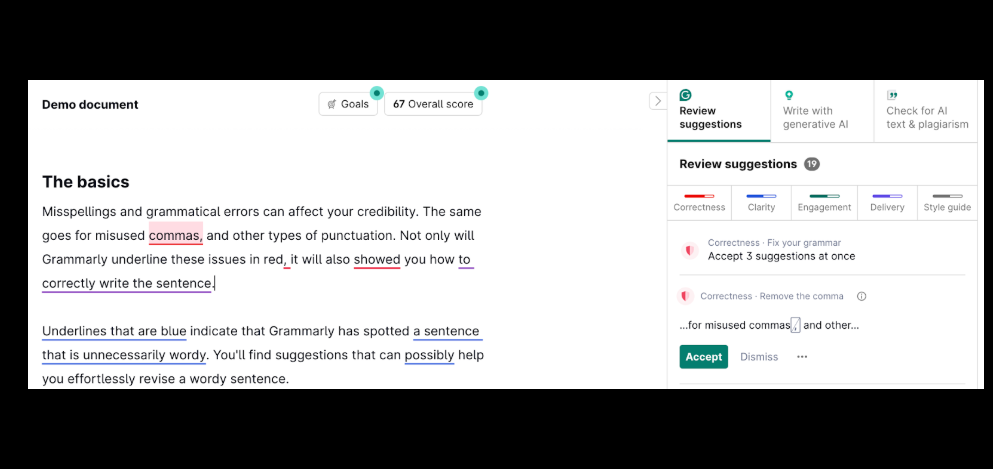
Grammarly has evolved far beyond a spell checker. The 2026 version includes advanced AI that improves tone, clarity, and engagement—turning good writing into great writing.
Key Features
- Grammar and spelling correction: Catch every typo and mistake before clients see them
- AI rewriting suggestions: Transform awkward sentences into clear, professional prose
- Tone adjustment: Ensure your writing matches the context (formal, casual, confident, etc.)
- Plagiarism detection: Verify your content is original (premium feature)
Pros
- Improves writing quality instantly
- Works across all platforms (Gmail, Google Docs, WordPress, etc.)
- Free version catches most critical errors
- Real-time feedback as you type
Cons
- Best features (tone detection, advanced suggestions) require premium plan
- Can be overly aggressive with suggestions sometimes
- Premium pricing is higher than some competitors
Freelancer Use Case
Content writers run everything through Grammarly before submitting to clients. It catches embarrassing mistakes, suggests stronger word choices, and ensures consistent tone. The result? Fewer revision requests and happier clients.
Copy.ai – Best AI Tool for Marketing Copy
Best For: Marketing freelancers, ad copywriters, and email specialists
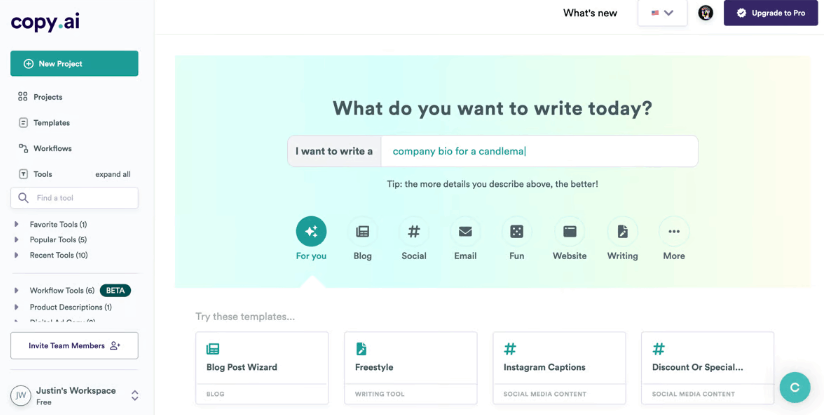
Copy.ai specializes in one thing: creating persuasive marketing copy that converts. If you write sales pages, ad copy, or email campaigns, this tool saves hours of brainstorming.
Key Features
- AI sales copy generation: Create compelling product descriptions and landing pages
- Email campaign templates: Generate entire email sequences in minutes
- Ad copy variations: Test multiple headlines and CTAs instantly
- Social media content: Plan weeks of posts in one session
Pros
- Extremely fast copy generation
- Specific templates for different marketing channels
- Helps overcome writer’s block instantly
- Good starting point for campaigns
Cons
- Free plan limited to 2,000 words per month
- Output requires editing for brand voice
- Can sound formulaic without customization
Freelancer Use Case
Email marketing freelancers use Copy.ai to draft welcome sequences, promotional campaigns, and nurture emails. They generate 10-15 variations, pick the best ones, customize them for the client’s brand, and deliver complete campaigns in fraction of the usual time.
Pictory AI – Best AI Tool for Video Content
Best For: Video editors, content creators, and social media freelancers
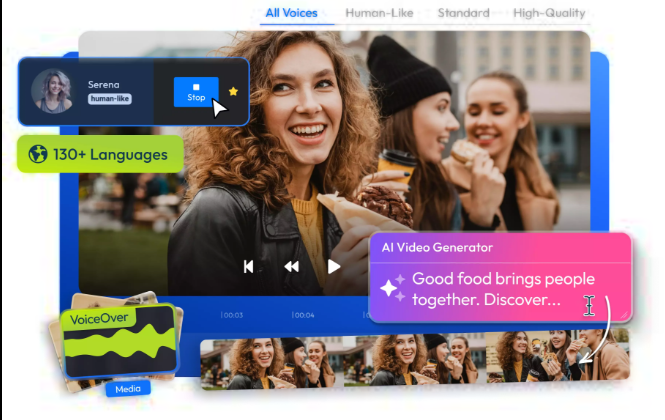
Pictory AI converts text content into professional videos automatically. Upload a blog post or script, and it generates a complete video with relevant stock footage, captions, and music.
Key Features
- Text-to-video conversion: Transform blog posts into engaging videos
- Automatic captions: Add accurate subtitles to any video
- Social media video creation: Repurpose long content into short clips
- Stock footage library: Access millions of licensed video clips
Pros
- Saves hours compared to traditional video editing
- No video editing experience required
- Perfect for repurposing written content
- Professional-looking results
Cons
- Free plan very limited (3 videos per month)
- Customization options less flexible than professional editors
- Voice-over quality varies
Freelancer Use Case
Content freelancers repurpose client blog posts into LinkedIn videos. Upload the article, select key points, and Pictory creates a 60-second video with captions and visuals. One piece of content now works across multiple platforms.
How Freelancers Can Use AI Tools to Make More Money
Faster Project Delivery
Speed is money in freelancing. When you complete projects 40-50% faster using AI tools, you have two options: take on more clients for higher monthly income, or maintain the same income while working fewer hours.
Complete work faster and take more clients: A freelance writer who previously handled 10 articles monthly can now deliver 15-18 with AI assistance—same quality, same deadlines, 50% more revenue.
Offer New Services
AI tools lower the skill barrier for services you couldn’t offer before. This opens entirely new revenue streams.
Examples:
- AI content writing: Expand from just editing to full content creation
- AI video creation: Offer video services without expensive equipment or editing skills
- AI graphic design: Create marketing materials even without formal design training
- AI research services: Provide comprehensive market research and competitor analysis
Build Passive Income
Smart freelancers use AI to create products that sell while they sleep.
Create digital products: Use AI to design templates, write ebooks, or create courses faster than ever possible before.
Sell AI-generated content: Create stock graphics, social media templates, or blog post bundles that generate passive income on platforms like Gumroad or Creative Market.
Tips for Choosing the Best AI Tools for Freelancers
Choose tools based on your freelancing niche: Don’t download every AI tool just because it’s popular. A graphic designer needs different tools than a software developer.
Start with free plans: Test multiple tools before committing to paid subscriptions. Many freelancers waste money on premium features they never use.
Combine multiple AI tools: The most productive freelancers use 3-5 AI tools in combination. ChatGPT for writing, Canva for design, Grammarly for editing—each tool handles what it does best.
Focus on tools that improve productivity: Choose tools that actually save you time on real projects, not just cool technology that looks impressive but doesn’t impact your bottom line.
Are Free AI Tools Enough for Freelancers?
When free tools are enough:
If you’re starting out, building your client base, or working on smaller projects, free versions of these AI tools provide everything you need. Most freelancers successfully use free plans for months or even years.
When upgrading to paid plans makes sense:
Consider premium subscriptions when you’re hitting usage limits regularly, when you need advanced features for larger clients, or when the time saved justifies the monthly cost. If a $20/month tool saves you 5 hours weekly, that’s easily worth it at typical freelance rates.
Final Verdict
The AI tools for freelancers landscape in 2026 is mature, powerful, and accessible. You no longer need expensive software subscriptions to compete with established professionals.
For beginners, start with ChatGPT and Grammarly. These two free tools will immediately improve your writing quality and productivity.
For designers, Canva AI is non-negotiable. It’s the fastest way to create professional graphics without formal design training.
For marketers, combine Copy.ai with Canva AI for complete campaign creation—from copy to visuals.
The freelancers earning the most money in 2026 aren’t necessarily the most talented—they’re the ones who’ve learned to leverage AI tools effectively. Stop competing on time and start competing on results.
Start experimenting with these tools today. Your future clients are already working with freelancers who use AI. Don’t get left behind.
FAQs About AI Tools for Freelancers
What are the best AI tools for freelancers?
The best AI tools for freelancers in 2026 are ChatGPT for writing and research, Canva AI for graphic design, Grammarly for editing, Copy.ai for marketing copy, Notion AI for productivity, and Pictory AI for video content. Each tool excels in specific freelancing niches.
Can freelancers use AI tools for free?
Yes, most major AI tools offer genuinely useful free plans. ChatGPT, Canva, and Grammarly provide free versions that freelancers can use indefinitely. Some tools like Copy.ai and Pictory AI have limitations on free plans but still deliver value for testing and smaller projects.
Do AI tools replace freelancers?
No, AI tools enhance freelancers rather than replace them. AI handles repetitive tasks, research, and first drafts, while freelancers provide creativity, strategy, client relationships, and final quality control. The most successful freelancers use AI to deliver better results faster, not as a replacement for their expertise.
Which AI tool is best for freelance writers?
ChatGPT and Grammarly are essential for freelance writers. ChatGPT helps with research, outlines, and first drafts, while Grammarly ensures error-free, polished final copy. Using both tools together can improve writing quality and speed by 50% or more.
Are AI-generated content and services allowed for freelancers?
Yes, using AI tools is standard practice in freelancing. However, you should always edit AI output to add unique insights, verify accuracy, and match your client’s brand voice. Most clients care about results and quality, not whether you used AI to achieve them—but transparency about your process builds trust.
