

The software development landscape is experiencing a seismic shift. AI developer tools news dominates tech headlines as artificial intelligence reshapes how programmers write, debug, and deploy code.
Gone are the days when AI simply offered autocomplete suggestions. Today’s AI coding tools act as intelligent development partners, handling everything from generating entire functions to reviewing pull requests and identifying security vulnerabilities.

In 2026, AI tools are no longer just coding assistants—they are full development partners. Developers now rely on AI coding agents that understand entire repositories, automated code review systems that catch bugs before deployment, and AI-powered IDEs that translate natural language into production-ready code.
This comprehensive guide covers the latest AI developer tools news, exploring 13 cutting-edge tools that are transforming programming workflows. Whether you’re a seasoned developer or just starting your coding journey, understanding these tools is essential for staying competitive in today’s rapidly evolving tech industry.
Why AI Developer Tools Are Dominating Software Development
Rapid Growth of AI Coding Assistants
AI coding assistants have evolved from experimental novelties to essential development tools. These intelligent systems help developers write boilerplate code faster, suggest optimized algorithms, and even explain complex codebases in plain English.
The productivity gains are undeniable. Developers report spending less time on repetitive tasks and more time solving challenging problems. AI handles the mundane while programmers focus on architecture and innovation.
Rise of AI Coding Agents
The latest AI developer tools news highlights a fundamental shift: from simple code completion to autonomous coding agents. These advanced systems can generate full pull requests, refactor entire modules, and even implement features across multiple files.
AI coding agents like Copilot, Cursor, and Claude Code can understand repositories and generate code across multiple files automatically. They analyze context, follow coding standards, and produce production-ready solutions with minimal human intervention.
Productivity Gains for Developers
The numbers speak for themselves. Teams using AI development tools report:
- 30-50% faster development cycles
- Reduced debugging time through automated error detection
- Fewer security vulnerabilities caught before deployment
- Improved code quality through AI-powered reviews
Automation of repetitive tasks means developers can focus on what they do best: creative problem-solving and building innovative solutions.
13 Latest AI Developer Tools News (Review & Analysis)
1. GitHub Copilot Coding Agent Update
Overview: GitHub Copilot remains the most popular AI pair programmer, seamlessly integrated into major IDEs including VS Code, JetBrains, and Neovim.
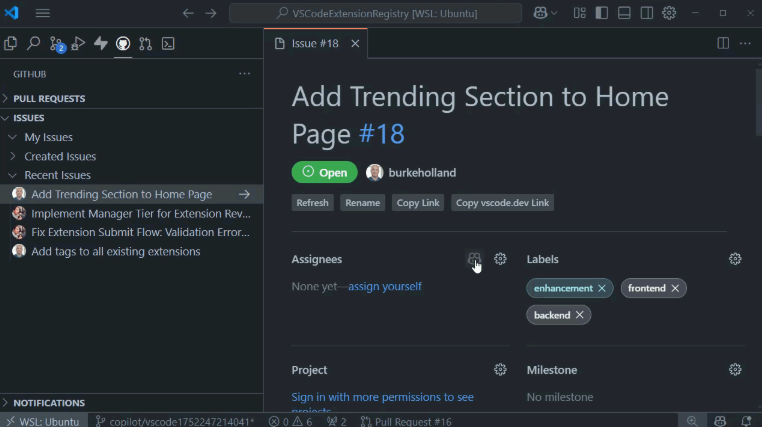
Latest News: The latest updates to Copilot include a model picker allowing developers to choose between GPT-4, Claude, or other models. The tool now features built-in security scanning, self-review capabilities, and custom AI agents that can be trained on your specific codebase.
Key Features:
- Context-aware code generation
- Automated pull request creation
- Real-time debugging suggestions
- Multi-language support (50+ programming languages)
Pros:
- Highly accurate code suggestions based on repository context
- Deep integration with popular development environments
- Continuous learning from developer feedback
Cons:
- Requires paid subscription for full access ($10-19/month)
- Occasional suggestions require manual review
Best For: Professional developers and development teams seeking comprehensive AI coding support.
2. Claude AI Code Review Tool
Overview: Anthropic’s latest AI developer tools news centers on Claude’s expanded capabilities in automated code review and repository analysis.
Latest News: Claude can now analyze GitHub pull requests automatically, detect logic errors, and identify security vulnerabilities. The tool analyzes full repositories and leaves detailed comments on pull requests to improve code quality.
Key Features:
- Intelligent code review automation
- Security vulnerability detection
- Code quality suggestions
- Natural language explanations of complex code
Pros:
- Advanced reasoning capabilities for catching subtle bugs
- Comprehensive security analysis
- Clear, helpful feedback in plain English
Cons:
- Token-based pricing can be expensive for large codebases
- Requires API integration
Best For: Enterprise development teams prioritizing code quality and security.
3. Cursor AI Editor
Overview: Cursor has emerged as the AI-first code editor designed specifically for natural-language programming. It’s built from the ground up with AI integration at its core.
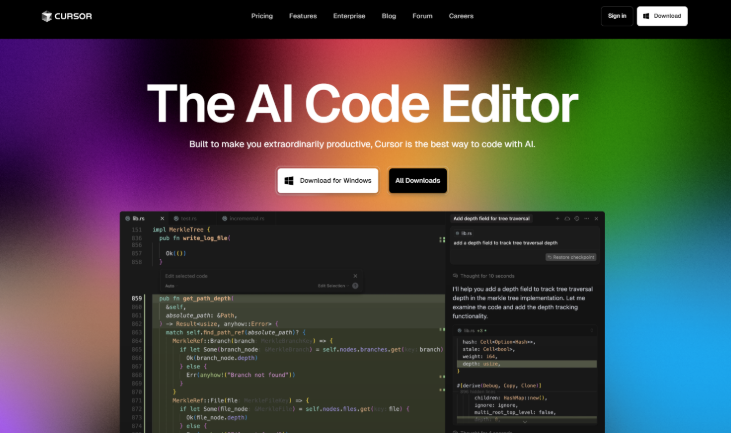
Latest News: Recent updates allow Cursor to understand entire codebases and perform multi-file edits through simple prompts. Developers can describe desired changes in natural language, and Cursor implements them across the project.
Key Features:
- Full codebase awareness
- Multi-file refactoring via prompts
- Built-in AI chat for code questions
- Smart context switching
Pros:
- Powerful refactoring capabilities
- Exceptional context awareness
- Fast, responsive AI interactions
Cons:
- Steeper learning curve for traditional developers
- Requires solid understanding of your codebase
Best For: Developers comfortable with AI-assisted workflows seeking maximum productivity.
4. Claude Code AI Programming Assistant
Overview: One of the fastest-growing AI coding tools, Claude Code brings advanced reasoning capabilities to command-line development workflows.
Latest News: Claude Code now supports autonomous coding agents that can delegate tasks, manage file operations, and automate complex development workflows directly from the terminal.
Key Features:
- Autonomous coding agents
- Repository-wide analysis
- Context-aware code generation
- File system integration
Pros:
- Highly intelligent reasoning and problem-solving
- Strong performance on complex tasks
- Command-line efficiency
Cons:
- Requires effective prompt engineering skills
- Learning curve for optimal use
Best For: Advanced developers who prefer command-line tools and terminal-based workflows.
5. Amazon Q Developer
Overview: Amazon’s entry into AI developer tools focuses heavily on cloud integration and AWS-specific workflows.
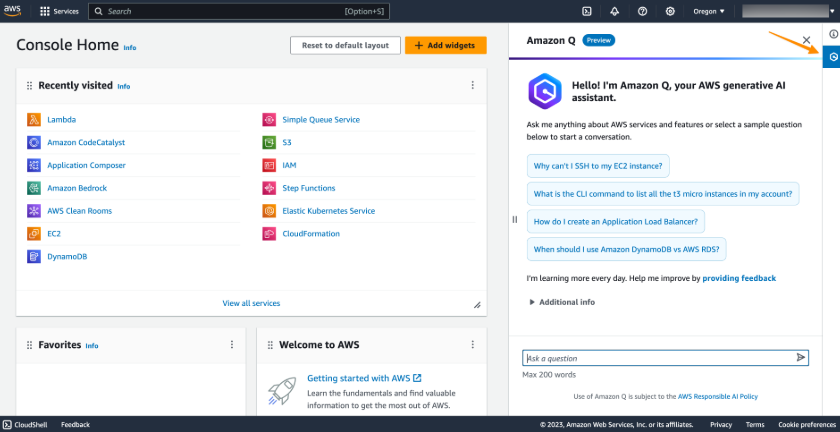
Latest News: Q Developer now offers enhanced code suggestions, automated debugging for AWS services, and seamless integration with Amazon’s cloud ecosystem.
Key Features:
- AWS-optimized code suggestions
- Cloud architecture recommendations
- Debugging automation for AWS services
- Infrastructure-as-code assistance
Pros:
- Perfect AWS integration
- Cloud-specific optimizations
- Free tier available
Cons:
- Limited value outside AWS ecosystem
- Less versatile than general-purpose tools
Best For: Cloud developers working primarily with AWS infrastructure.
6. Google Gemini Code Assist
Overview: Google’s AI coding assistant leverages the powerful Gemini models to provide intelligent development support.
Latest News: Recent updates include improved code generation, automated test generation, and advanced bug detection specifically optimized for Google Cloud Platform.
Key Features:
- Multi-modal code understanding
- Test case generation
- Bug pattern detection
- Google Cloud integration
Pros:
- Strong integration with Google Cloud services
- Advanced AI model capabilities
- Comprehensive language support
Cons:
- Primarily focused on Google ecosystem
- Requires Google Cloud account for full features
Best For: Developers building applications on Google Cloud Platform.
7. NVIDIA AI Agent Platform (Upcoming)
Overview: Major AI developer tools news from NVIDIA: the company plans to launch an open-source platform for building and deploying AI agents.
Latest News: The platform aims to help companies deploy autonomous AI agents to perform workplace tasks, including software development, testing, and deployment automation.
Key Features (Announced):
- Open-source AI agent framework
- Enterprise-grade automation
- Customizable agent workflows
- Integration with existing development tools
Pros:
- Open-source ecosystem
- Enterprise-focused features
- Backed by NVIDIA’s AI expertise
Cons:
- Still in development
- Release timeline uncertain
Best For: Enterprise teams planning future AI automation strategies.
8. Replit Ghostwriter
Overview: Replit’s AI coding assistant is integrated directly into the Replit cloud development environment, making AI-assisted coding accessible to beginners and professionals alike.
Latest News: Ghostwriter now offers real-time collaborative AI, where multiple developers can work with AI assistance simultaneously on the same project.
Key Features:
- Real-time coding suggestions
- AI debugging assistance
- Code explanation in plain language
- Integrated development environment
Pros:
- Zero setup required
- Excellent for learning and prototyping
- Collaborative features
Cons:
- Tied to Replit platform
- Less powerful than standalone tools
Best For: Beginners, educators, and rapid prototyping scenarios.
9. Tabnine AI Coding Assistant
Overview: Tabnine focuses on privacy-conscious AI code completion with options for private, on-premises AI models.
Latest News: Latest updates include team training capabilities, allowing organizations to train custom AI models on their private codebases without data leaving their infrastructure.
Key Features:
- Private AI model options
- Team-specific model training
- On-premises deployment
- Multi-IDE support
Pros:
- Strong privacy and security focus
- Customizable to team coding styles
- Local model options
Cons:
- Premium features expensive
- Less advanced than cloud-based competitors
Best For: Teams with strict privacy requirements or proprietary codebases.
10. JetBrains AI Assistant
Overview: JetBrains has integrated AI capabilities directly into their popular IDEs, including IntelliJ IDEA, PyCharm, and WebStorm.
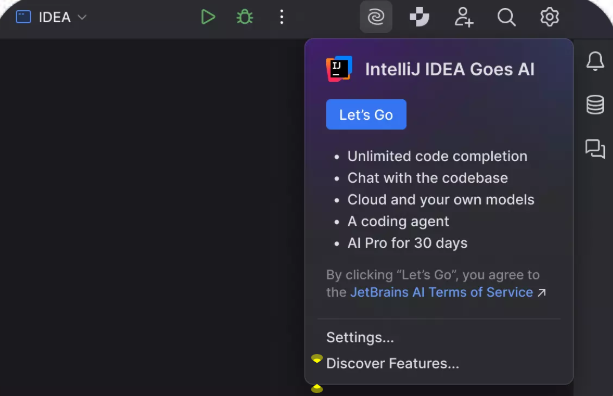
Latest News: Recent updates bring AI chat directly into the IDE, code explanation features, and automated documentation generation.
Key Features:
- Code explanation and documentation
- AI-powered chat within IDE
- Refactoring suggestions
- Test generation
Pros:
- Seamless integration with JetBrains IDEs
- No context switching required
- Reliable and stable
Cons:
- Limited to JetBrains ecosystem
- Additional subscription cost
Best For: Developers already using JetBrains IDEs professionally.
11. Synopsys AI Chip Design Tools
Overview: Breaking AI developer tools news from the hardware side: Synopsys launched AI-powered tools for designing AI chips.
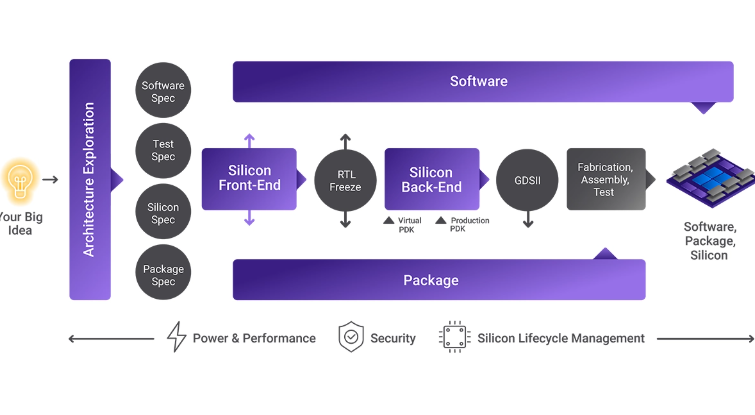
Latest News: These tools simplify complex AI chip design workflows, automating optimization tasks that previously required months of manual engineering.
Key Features:
- Automated chip design optimization
- Integrated design workflows
- AI-specific circuit optimization
- Performance prediction
Pros:
- Specialized for hardware development
- Significant time savings
- Industry-leading expertise
Cons:
- Highly specialized niche
- Expensive enterprise tooling
Best For: Hardware engineers and chip designers working on AI accelerators.
12. Copilot CLI (Agentic Coding)
Overview: GitHub extended Copilot to the command line, bringing AI assistance to terminal-based workflows.
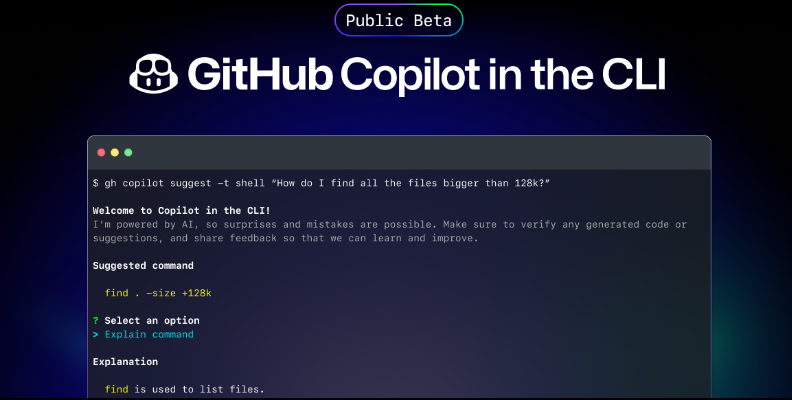
Latest News: The CLI now supports autopilot mode and agent delegation for automated coding workflows, allowing developers to describe tasks in natural language and have AI execute complex command sequences.
Key Features:
- Natural language command generation
- Autopilot mode for automated tasks
- Git workflow automation
- Shell script generation
Pros:
- Powerful for command-line users
- Reduces command memorization
- Automates complex workflows
Cons:
- Requires GitHub Copilot subscription
- Terminal expertise still beneficial
Best For: Command-line focused developers and DevOps engineers.
13. AI “Vibe Coding” Tools Trend
Overview: A fascinating development in AI developer tools news: “vibe coding” represents a new trend where people build applications using natural language descriptions instead of traditional coding.
Latest News: Tools like v0, Bolt, and similar platforms allow developers to create functional applications by describing desired features and aesthetics, with AI handling the implementation details.
Key Features:
- Natural language app creation
- Visual design integration
- Rapid prototyping
- No-code to low-code spectrum
Pros:
- Accessible to non-programmers
- Extremely fast prototyping
- Lowers barrier to entry
Cons:
- Still requires validation and testing
- Limited for complex applications
- Generated code may need manual refinement
Best For: Rapid prototyping, MVP development, and designers wanting to build functional prototypes.
Key Trends in AI Developer Tools (2026)
AI Coding Agents Replacing Simple Code Completion
The shift from autocomplete to autonomous agents represents the most significant trend in AI developer tools news. Modern tools don’t just suggest the next line—they implement entire features.
These agents understand project requirements, follow coding standards, and generate production-ready code across multiple files. They’re moving from assistants to collaborators.
Natural Language Programming
Developers increasingly describe functionality instead of writing syntax. This trend democratizes programming while allowing experienced developers to work at a higher level of abstraction.
The rise of natural language programming doesn’t eliminate the need for coding knowledge—it amplifies developer productivity by handling implementation details.
AI-Driven Debugging and Code Review
Automated testing and security checks are becoming standard. AI tools now catch bugs, identify security vulnerabilities, and suggest optimizations before code reaches production.
This proactive approach to code quality saves time, reduces technical debt, and improves overall software reliability.
AI-First IDEs
Development environments designed around AI from the ground up represent the future of programming tools. These platforms integrate AI at every level, from code completion to architecture design.
Pros and Cons of AI Developer Tools
Advantages
Faster Development: AI tools accelerate every phase of development, from initial coding to debugging and deployment. Teams report significant productivity improvements.
Reduced Repetitive Work: Boilerplate code, routine refactoring, and standard patterns are automated, freeing developers for creative problem-solving.
Improved Productivity: By handling routine tasks, AI tools allow developers to focus on complex challenges and architectural decisions.
Better Code Quality: Automated reviews and testing catch issues early, resulting in more maintainable, secure code.
Disadvantages
Security Concerns: AI tools may suggest code with vulnerabilities or inadvertently expose sensitive information during training.
AI Hallucinations: Generated code isn’t always correct. Developers must review and validate AI suggestions carefully.
Cost of Enterprise Tools: Many advanced AI developer tools require expensive subscriptions, which can be prohibitive for small teams or individual developers.
Over-Reliance Risk: Depending too heavily on AI tools may erode fundamental coding skills over time.
How Developers Should Choose the Right AI Tool
Selecting the right AI development tool requires careful consideration of several factors:
Programming Language Support: Ensure the tool supports your primary languages and frameworks. Some tools excel with specific languages while others offer broader coverage.
IDE Compatibility: Choose tools that integrate with your existing development environment to minimize context switching and maximize efficiency.
Cost: Evaluate pricing models carefully. Consider whether per-user, per-month, or usage-based pricing works best for your situation.
Security Features: For professional development, prioritize tools with strong security scanning, vulnerability detection, and privacy protections.
Automation Capabilities: Determine whether you need simple code completion or advanced autonomous agents capable of complex tasks.
Team Collaboration: If working in a team, look for tools with collaboration features, shared learning, and consistent code style enforcement.
Future of AI Developer Tools
The future of AI developer tools promises even more dramatic transformations:
Fully Autonomous Coding Agents: AI agents may soon build complete applications with minimal human input, translating high-level requirements directly into production systems.
AI-Generated Applications: End-to-end application generation from natural language specifications will become increasingly sophisticated and reliable.
AI-Powered Debugging Systems: Future tools will not only identify bugs but also understand root causes, suggest fixes, and implement corrections automatically.
AI DevOps Automation: The entire software lifecycle—from development through testing, deployment, and monitoring—will be increasingly automated by AI systems.
Collaborative Human-AI Development: The most likely scenario involves AI and human developers working together, each leveraging their unique strengths to create better software faster.
Conclusion
The latest AI developer tools news reveals an industry in rapid transformation. From GitHub Copilot’s advanced coding agents to emerging trends like vibe coding, artificial intelligence is fundamentally changing how software gets built.
These 13 tools represent the cutting edge of AI-assisted development. Whether you’re interested in automated code review with Claude, natural language programming with Cursor, or cloud-optimized development with Amazon Q, there’s an AI tool designed for your workflow.
The key takeaway: AI will augment developers rather than replace them. Programmers who learn to collaborate effectively with AI tools will become the most valuable engineers of the next decade.
Developers who master these AI developer tools won’t just work faster—they’ll solve harder problems, build better software, and push the boundaries of what’s possible in software development.
Start experimenting with AI coding tools today. The future of programming is collaborative, intelligent, and already here.
