

Creating consistent TikTok content can feel like a full-time job. Between brainstorming ideas, filming videos, editing clips, writing captions, and researching hashtags, creators easily spend 3-5 hours on a single post.
That’s where AI Tools for TikTok Automation come in. These intelligent platforms handle the repetitive tasks automatically, letting you focus on creativity instead of busy work.
In this guide, I’ll walk you through 7 powerful free tools that automate everything from video editing to trend discovery. Whether you’re a beginner or an experienced creator, these AI tools for TikTok content creation will help you publish better content in less time.
Why TikTok Creators Need AI Automation Tools
Let’s be honest—growing on TikTok takes more than just posting videos. You need to stay consistent, follow trends quickly, and maintain high-quality content.
Here’s what makes TikTok creation so time-consuming:
- Video editing: Cutting clips, adding transitions, and syncing music takes hours
- Caption writing: Crafting engaging hooks and calls-to-action requires creativity
- Hashtag research: Finding trending tags that actually boost reach demands constant monitoring
- Posting consistency: Maintaining a daily or weekly schedule while managing other responsibilities
Most creators burn out because they’re doing everything manually. The good news? AI automation tools solve these exact problems.
Benefits of AI Tools for TikTok Automation
Using TikTok automation software delivers real results:
- Save 10-15 hours per week on content creation
- Improve video quality with professional editing features
- Generate viral-worthy scripts and captions in seconds
- Discover trending hashtags before they peak
- Maintain consistent posting schedules without stress
The best part? You don’t need technical skills or expensive subscriptions to get started.
How We Selected These AI TikTok Automation Tools
I tested over 20 platforms to find the best AI tools for TikTok growth. Here’s what I looked for:
Free plan availability: Each tool offers meaningful features without requiring payment upfront.
Beginner-friendly interface: No steep learning curves or complicated setups.
Actual automation: Tools that genuinely save time, not just fancy features.
Content quality: Outputs that look professional, not obviously AI-generated.
Positive creator reviews: Real users reporting measurable time savings and better results.
Now let’s dive into the tools that made the cut.
7 Free AI Tools for TikTok Automation (Detailed Reviews)
1. Pictory AI – Best for Turning Text into TikTok Videos
Overview
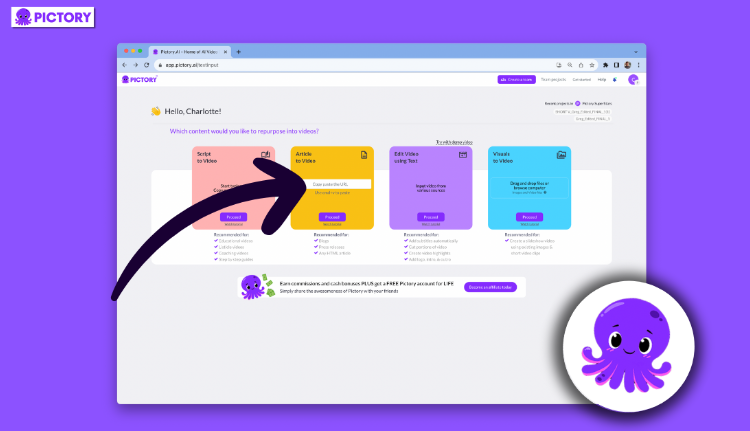
Pictory transforms written scripts into engaging video content automatically. It’s perfect for creators who prefer writing over filming.
Key Features
- AI video creation from blog posts or scripts
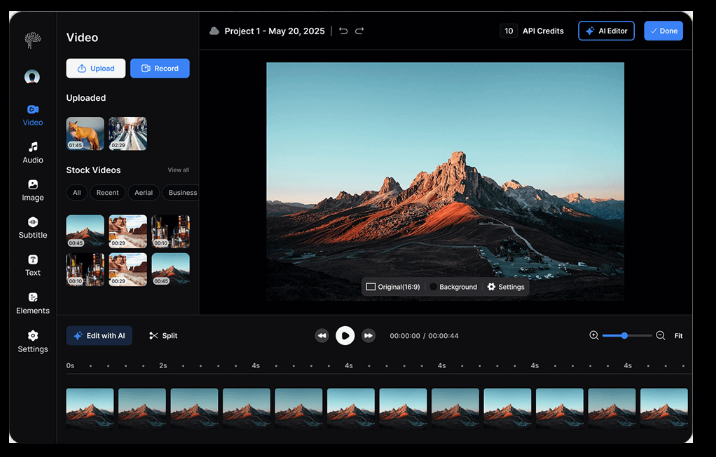
- Automatic subtitle generation with customizable styles
- Built-in stock video library with millions of clips
- Text-to-speech voiceover options
Pros
- Beginners can create videos in under 10 minutes
- No filming equipment needed
- Fast rendering speeds
- Professional-looking results
Cons
- Free plan limited to 3 videos per month
- Watermark on free videos
- Stock footage can feel generic
Best For
Creators who want to convert written content into TikTok videos without filming. Great for educational content, storytelling, and repurposing blog posts.
2. CapCut AI – Best Free AI Video Editing Tool
Overview
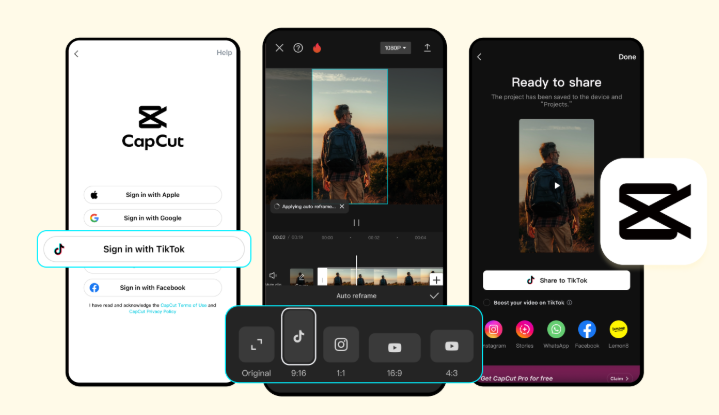
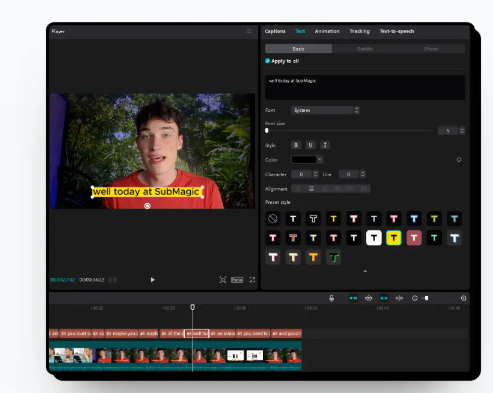
CapCut is TikTok’s official video editor, packed with AI-powered features that simplify editing.
Key Features
- AI auto-captions that sync perfectly with speech
- Smart background removal without green screens
- One-tap video templates for trending formats
- Auto-reframe to optimize vertical video composition
Pros
- Completely free with no watermarks
- Mobile and desktop versions available
- Regular updates with trending effects
- Intuitive drag-and-drop interface
Cons
- Some features require manual fine-tuning
- Can be resource-intensive on older devices
- Limited automation for multi-clip projects
Best For
Creators who want professional editing results without the complexity of Adobe Premiere. Perfect for quick TikTok editing automation.
3. ChatGPT – Best AI Tool for TikTok Script Writing
Overview
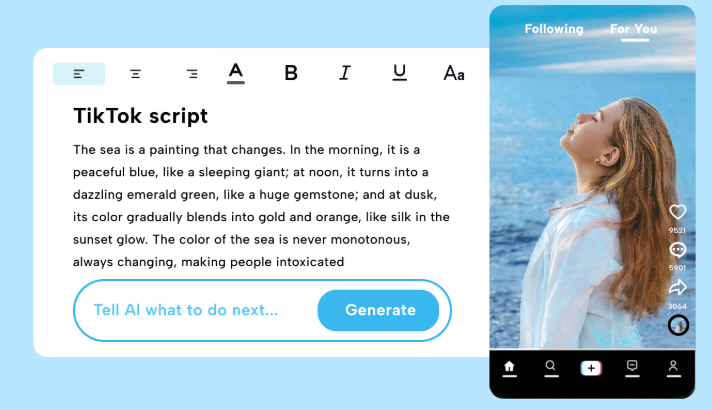
ChatGPT generates creative scripts, hooks, and content ideas that grab attention in the first three seconds.
Key Features
- TikTok script generator for various niches
- Hook writing specifically for short-form video
- Caption and CTA suggestions
- Viral content idea brainstorming
- Trend analysis and topic suggestions
Pros
- Unlimited usage on free plan
- Adapts to any content niche
- Generates unique ideas quickly
- Helps overcome creator’s block
Cons
- Requires specific prompts for best results
- Output needs human editing for authenticity
- Can produce generic suggestions without proper guidance
Best For
Creators who struggle with content ideas or scripting. Essential for planning content calendars and maintaining consistent messaging.
4. Flick AI – Best for TikTok Hashtag Automation
Overview
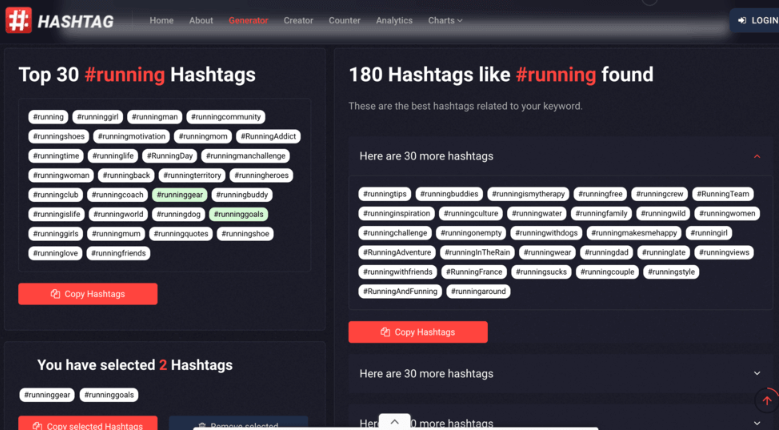
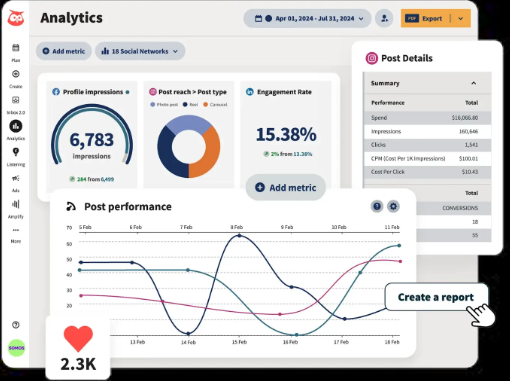
Flick uses AI to discover trending hashtags and predict which tags will boost your reach.
Key Features
- AI-powered hashtag generator based on your content
- TikTok trend discovery dashboard
- Hashtag performance analytics
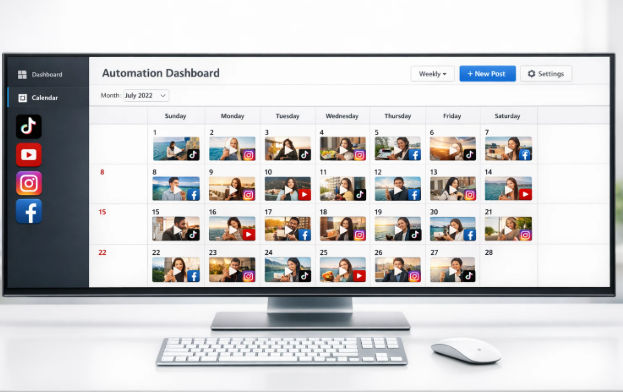
- Content scheduling with optimal posting times
Pros
- Dramatically improves content discoverability
- Saves hours of hashtag research
- Provides data-driven recommendations
- Tracks hashtag performance over time
Cons
- Free version limited to basic features
- Requires connecting your TikTok account
- Learning curve for analytics features
Best For
Creators focused on growing reach and visibility. Particularly useful for niche content that needs specific hashtag targeting.
5. Opus Clip – Best AI Tool for Auto-Creating Short Clips
Overview
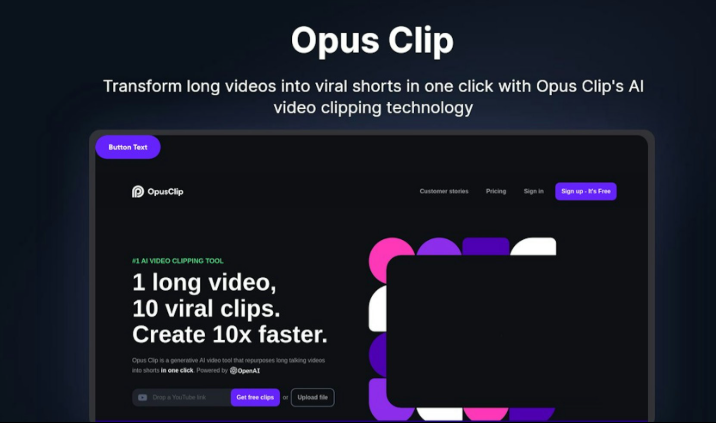
Opus Clip automatically identifies the best moments from long videos and converts them into TikTok-ready clips.
Key Features
- Converts YouTube videos or podcasts into short clips
- AI viral score predicting engagement potential
- Auto-generated captions with emoji integration
- Smart scene detection for natural cuts
Pros
- Perfect for repurposing existing content
- Saves hours of manual editing
- Multiple clip variations from one video
- High-quality output
Cons
- Free plan limits monthly exports
- Works best with talking-head content
- Occasional awkward cuts require manual adjustment
Best For
Creators with existing long-form content who want to expand to TikTok. Great for podcasters, YouTubers, and educators.
6. Predis AI – Best for AI Content Generation
Overview
Predis generates complete TikTok posts from scratch, including video concepts, scripts, and posting schedules.

Key Features
- AI video content generator with trending formats
- Auto-caption writing with hook optimization
- Content calendar creation
- Competitor analysis for inspiration
- Brand voice customization
Pros
- End-to-end content automation
- Consistent brand messaging
- Multiple content variations for A/B testing
- Learns from your best-performing posts
Cons
- Free plan significantly limited
- Generated content needs personalization
- Not ideal for highly creative niches
Best For
Creators wanting comprehensive automation for content planning and creation. Works well for business accounts and consistent brand messaging.
7. TrendTok AI – Best for Finding Viral Trends
Overview
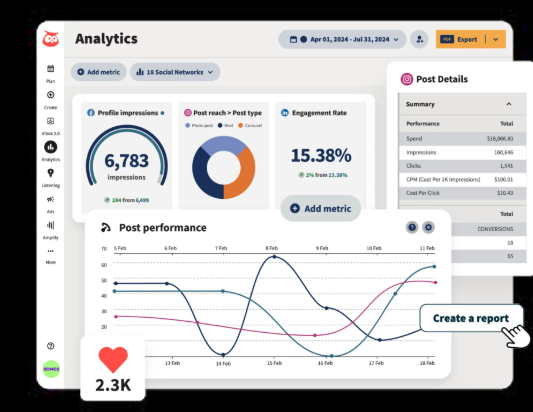
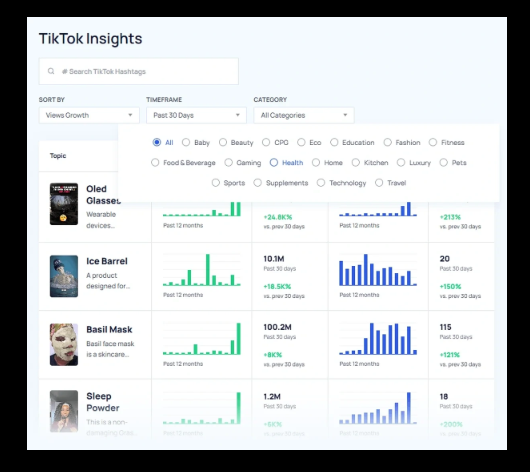
TrendTok predicts which trends, sounds, and formats will go viral before they peak.
Key Features
- AI trend prediction algorithm
- Real-time viral sound alerts
- Trending content analysis by niche
- Early trend detection for competitive advantage
Pros
- Helps creators jump on trends early
- Niche-specific trend recommendations
- Push notifications for breaking trends
- Simple, focused interface
Cons
- Primarily mobile-focused
- Free features limited compared to premium
- Regional trend variations
Best For
Creators who want to ride viral trends before they become saturated. Essential for staying relevant in fast-moving niches. AI Tools for Selling Digital Products
Comparison Table of AI Tools for TikTok Automation
| Tool | Best For | Free Plan | Key Feature |
|---|---|---|---|
| Pictory AI | AI video creation | Yes (limited) | Text to video conversion |
| CapCut AI | Video editing | Yes (full access) | AI auto-captions |
| ChatGPT | Script writing | Yes | Unlimited content ideas |
| Flick AI | Hashtag automation | Limited features | Smart hashtag generator |
| Opus Clip | Clip creation | Yes (limited exports) | Auto short video creation |
| Predis AI | Content automation | Limited features | Complete post generation |
| TrendTok AI | Viral trends | Yes (core features) | Early trend prediction |
How to Use AI Tools for TikTok Automation (Step-by-Step)
Here’s a practical workflow combining these tools:
Step 1: Generate Content Ideas
Use ChatGPT to brainstorm 10-15 video ideas for your niche. Ask for trending topics and engaging angles.
Step 2: Write Your Script
Have ChatGPT create a 30-60 second script with a strong hook and clear call-to-action.
Step 3: Create Your Video
Choose between filming yourself with CapCut for editing, or using Pictory to generate video from your script.
Step 4: Add Captions and Hashtags
Use CapCut’s auto-captions feature, then grab trending hashtags from Flick AI based on your content.
Step 5: Check Trends and Schedule
Verify your content aligns with current trends using TrendTok, then post at optimal times.
This workflow can reduce a 4-hour process down to 45 minutes.
Tips to Grow Faster Using AI TikTok Tools
Use AI for hooks but add personality: Let AI write the framework, then inject your unique voice and experiences.
Follow trends quickly: Use TrendTok to identify rising trends, then create content within 24-48 hours before saturation.
Repurpose everything: Run your YouTube videos through Opus Clip to automatically generate a week’s worth of TikTok content.
Test multiple versions: Use AI to create 3-4 caption variations, then track which performs best.
Analyze and iterate: Review which AI-generated elements drive engagement, then double down on what works.
Are AI Tools Safe for TikTok Automation?
This is important: TikTok’s policies distinguish between content automation and bot automation.
What’s allowed:
- Using AI tools to create, edit, or schedule content
- Automating captions, hashtags, and scripts
- Repurposing content with AI editing tools
What violates policies:
- Automated following/unfollowing bots
- Auto-commenting or liking services
- Fake engagement generation
- Spam posting with identical content
The tools listed in this guide focus on content creation automation, which is completely safe and compliant with TikTok’s terms of service.
Always create genuine content that provides value—AI should enhance your creativity, not replace authenticity.
Final Verdict: Which AI Tool Is Best?
After testing all seven platforms, here are my recommendations:
Best Overall Free Tool: CapCut AI – No restrictions, no watermarks, and powerful features that rival paid software.
Best Automation Tool: Predis AI – Handles the most tasks automatically, though free features are limited.
Best for Content Ideas: ChatGPT – Unlimited brainstorming and script generation makes it essential for any creator.
Best for Going Viral: TrendTok AI – Early trend detection gives you a competitive edge.
The truth is, you’ll get the best results by combining multiple tools. Use ChatGPT for ideas, CapCut for editing, and Flick for hashtags—this trio covers your core needs without spending a dollar.
Conclusion
AI Tools for TikTok Automation have transformed how creators produce content. What used to take hours now takes minutes, and quality has actually improved with access to professional features.
Even complete beginners can automate video creation, caption writing, and trend research using these free platforms. The key is starting with one or two tools that address your biggest pain points, then expanding your toolkit as you grow.
Remember: AI handles the repetitive work so you can focus on what matters—connecting with your audience and creating content that resonates.
Try CapCut and ChatGPT this week. Those two alone will save you 5+ hours and immediately improve your content quality.
Frequently Asked Questions
What are the best AI Tools for TikTok Automation?
The best free AI tools for TikTok include CapCut for video editing, ChatGPT for script writing, Pictory for text-to-video creation, and Opus Clip for repurposing long-form content into short clips. These tools help automate editing, caption writing, and content creation.
Are AI TikTok tools free?
Yes, many AI TikTok automation tools offer free plans. CapCut is completely free with full features, ChatGPT has a generous free tier, and tools like Pictory, Opus Clip, and Predis AI offer limited free plans that let you test core features before upgrading.
Can AI grow TikTok accounts faster?
AI tools accelerate growth by improving content quality, posting consistency, and trend participation. They automate time-consuming tasks like editing and hashtag research, allowing creators to publish more frequently. However, authentic engagement and genuine content still matter most for sustainable growth.
Is using AI for TikTok against the platform’s rules?
No, using AI for content creation is completely allowed. TikTok only prohibits automation bots for fake engagement (auto-followers, auto-likes). AI tools for editing, captions, and content generation are safe and compliant with TikTok’s terms of service.
How much time do AI TikTok tools save?
Creators typically save 10-15 hours per week using AI automation tools. Tasks that took 3-4 hours (editing, caption writing, hashtag research) can be completed in 30-45 minutes with the right combination of AI platforms.
