

Redesigning your home no longer requires hiring an expensive interior designer or spending weeks browsing Pinterest boards. Free AI interior design tools for beginners have revolutionized how homeowners visualize and plan their spaces.
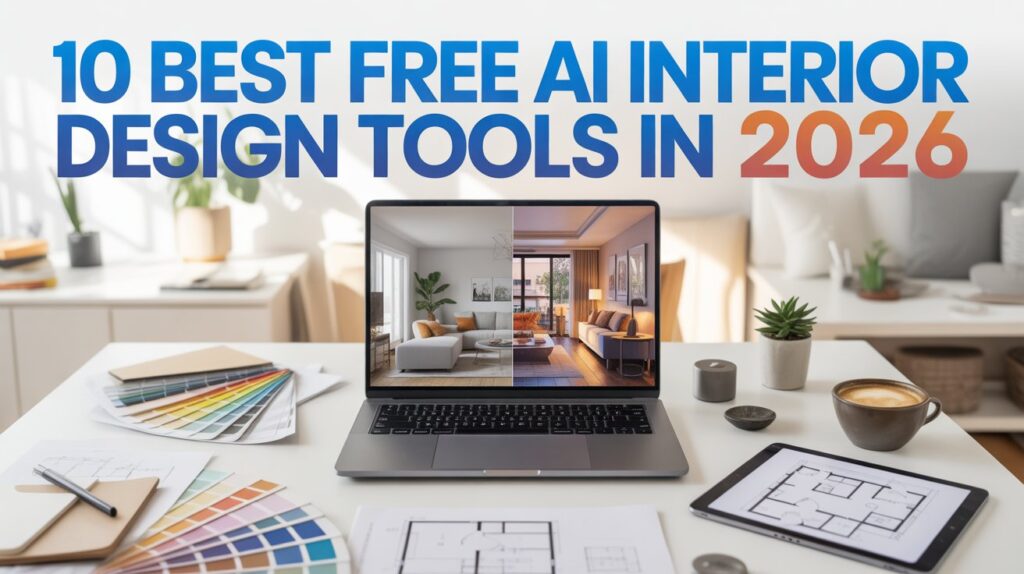
Whether you’re rearranging your bedroom, upgrading your living room, or reimagining your kitchen, artificial intelligence now makes professional-quality design accessible to everyone. These innovative platforms use machine learning to understand your style preferences and generate room layouts, color schemes, and furniture recommendations in seconds.
This guide reveals the 10 best free AI interior design tools tested in 2026, complete with honest reviews, practical tips, and everything you need to start designing like a pro—even if you’ve never touched a design tool before.
What Are Free AI Interior Design Tools for Beginners?
Free AI interior design tools are software applications powered by artificial intelligence that help users visualize and plan interior spaces. Unlike traditional design software that requires technical skills, these tools use intuitive interfaces and AI algorithms to:
- Generate design suggestions based on your room dimensions and style preferences
- Visualize furniture placement before you buy anything
- Create color palettes that complement your existing décor
- Provide 3D room renderings to see exactly how changes look
- Recommend products from furniture retailers
These tools are specifically designed for beginners, meaning they don’t require design degrees or software experience. Most work through simple prompts, uploads of room photos, or basic dimension inputs.
Why Beginners Are Turning to AI Design Solutions
The interior design industry is experiencing a major shift. Here’s why more homeowners are choosing free AI interior design tools:
Cost Savings: Professional designers charge $50-150 per hour. AI tools eliminate this expense entirely.
Time Efficiency: Get instant design suggestions instead of waiting weeks for appointments and revisions.
Risk Reduction: Visualize changes before purchasing expensive furniture, preventing costly mistakes.
Accessibility: No design background needed—just describe your vision and let AI handle the technical work.
Creative Freedom: Experiment with unlimited design variations without judgment.
24/7 Availability: Work on your designs whenever inspiration strikes, without scheduling constraints.
The 10 Best Free AI Interior Design Tools for Beginners in 2026
1. RoomGPT
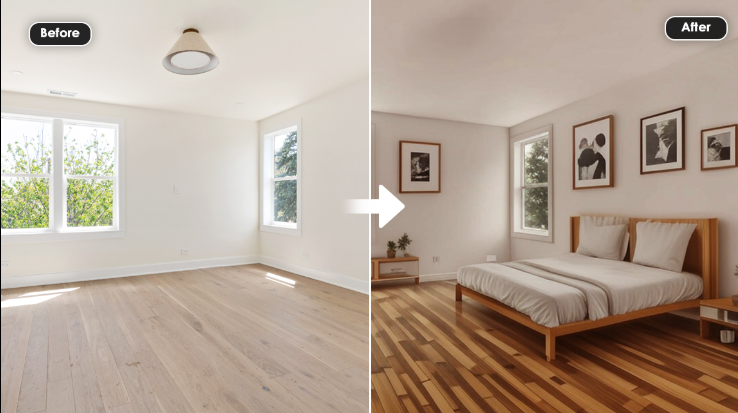
RoomGPT combines the power of AI with simplicity, making it the top choice for absolute beginners.
Key Features:
- Upload a photo of your room and describe your desired style
- AI generates 5-10 design variations instantly
- Works on any room (bedroom, kitchen, bathroom, living area)
- No installation required—completely web-based
Best For: Quick design inspiration and seeing multiple options
Pricing: Free version with 5 designs/month; premium for unlimited
2. Relume AI Designer
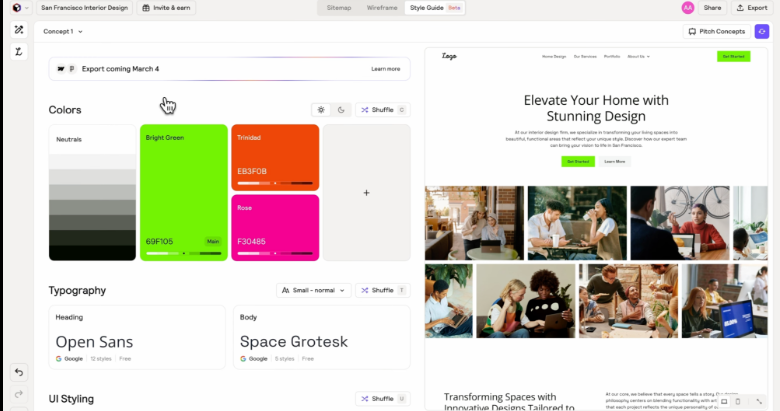
A comprehensive tool that balances ease-of-use with advanced features.
Key Features:
- Room measurements calculator built-in
- Color psychology recommendations
- Furniture compatibility checker
- Generates Pinterest-style mood boards
Best For: Understanding design principles while creating
Pricing: Free tier available with limited exports
3. Foyr Eve
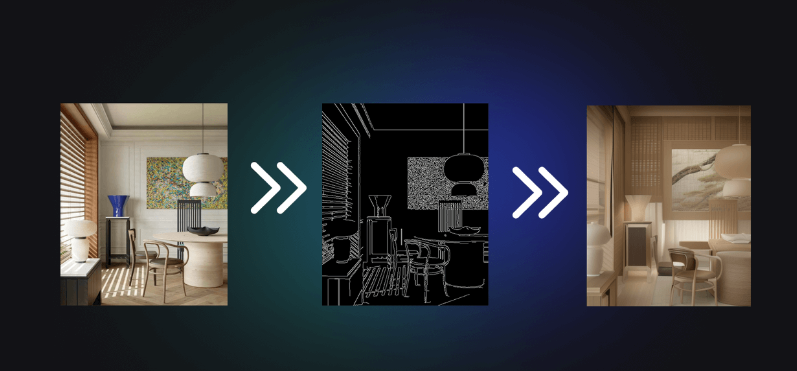
Foyr Eve stands out with its 3D visualization capabilities that feel like walking through your space.
Key Features:
- Create 3D floor plans by entering room dimensions
- Drag-and-drop furniture placement
- Virtual room walk-through feature
- Large free furniture library
Best For: Precise space planning and furniture arrangement
Pricing: Free version sufficient for beginners
4. HomeByMe
This French-originated tool has become popular worldwide for its intuitive design process.
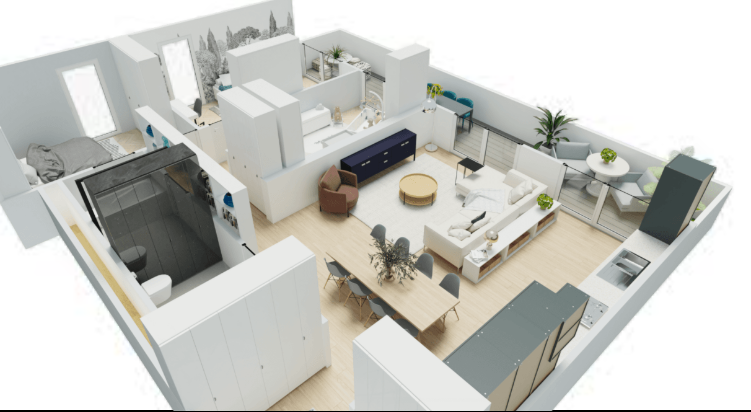
Key Features:
- Simple room layout creation
- 3D visualization in real-time
- Sharable design links to get feedback
- Integration with real furniture retailers
Best For: Collaborative planning with family or friends
Pricing: Free version with essential tools
5. Planner 5D
Perfect for visual learners who want hands-on control over every element.
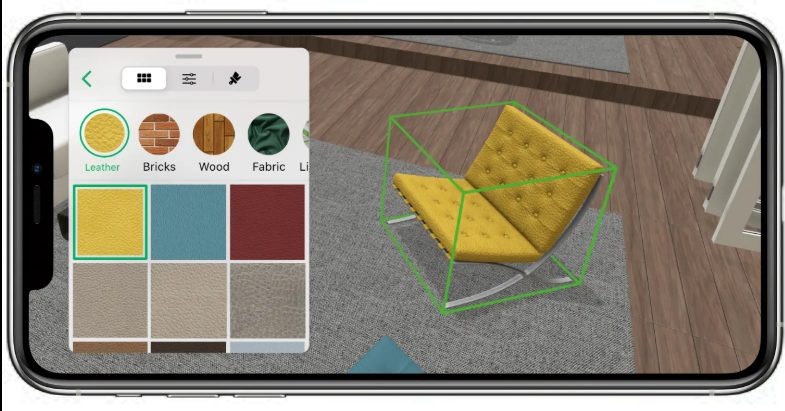
Key Features:
- Interior design courses built-in for learning
- Massive catalog of free 3D objects
- Photo realistic rendering
- Mobile app available
Best For: Learning while designing and creative experimentation
Pricing: Completely free (premium removes ads)
6. Spaceplan AI
Specializes in space optimization, ideal for smaller homes or apartments.
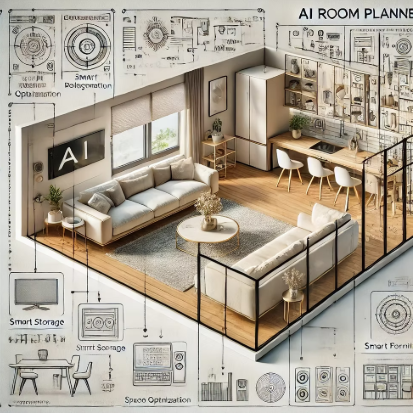
Key Features:
- AI analyzes traffic flow in your room
- Maximizes usable space with smart suggestions
- Budget-friendly furniture recommendations
- Color matching technology
Best For: Small space optimization and budget-conscious design
Pricing: Free with watermark on exports
7. Interior AI by Maket
This tool excels at generating multiple design style variations from a single photo.
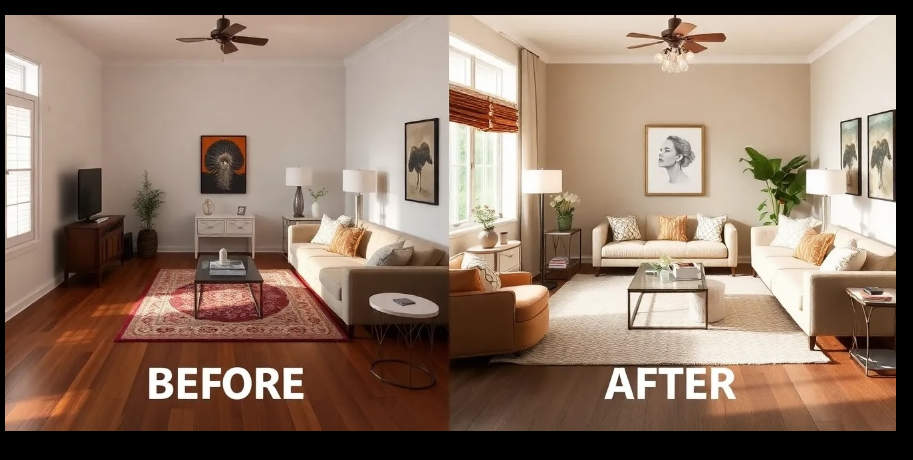
Key Features:
- Upload room photo, choose style (modern, industrial, minimalist, etc.)
- AI instantly redesigns the space in that style
- Before-and-after comparisons
- Realistic rendering quality
Best For: Exploring different design aesthetics
Pricing: Free with limited daily generations
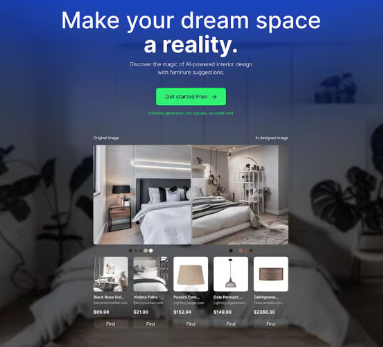
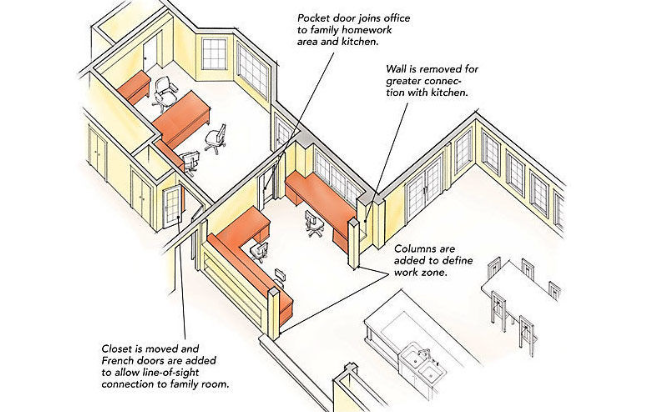
8. Designblips
A community-driven platform combining AI with expert design advice.
Key Features:
- AI design assistant with chat support
- Connect with designers for feedback
- Shoppable designs (find exact products used)
- Style quiz to identify your preferences
Best For: Getting professional guidance alongside AI suggestions
Pricing: Free version with premium mentorship options
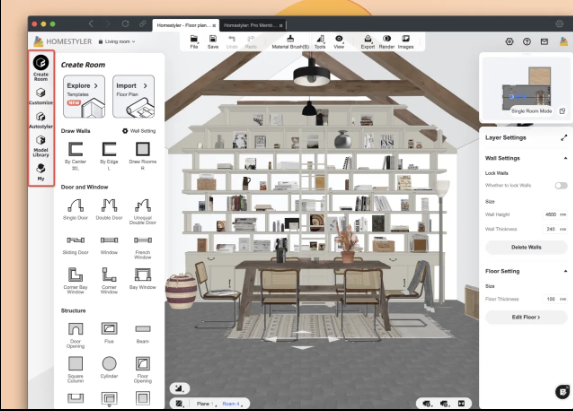
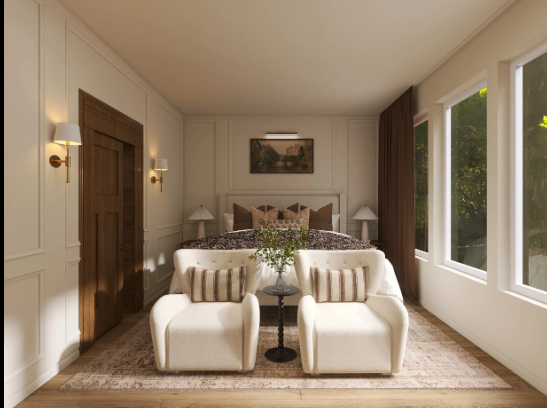
9. Homestyler
Outstanding for its catalog depth and real product integration.
Key Features:
- 10+ million real furniture items from brands
- AI furniture matching based on your style
- Budget tracker for your project
- Social community for inspiration
Best For: Shopping and budgeting alongside design
Pricing: Free access to core features
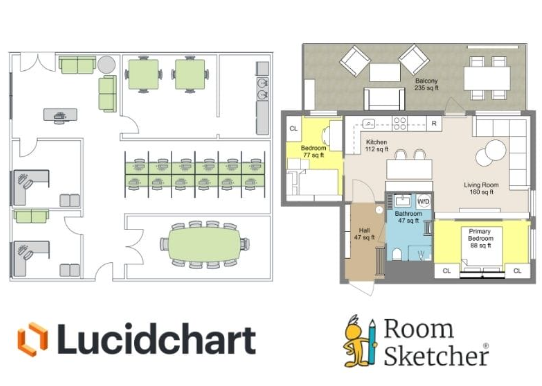
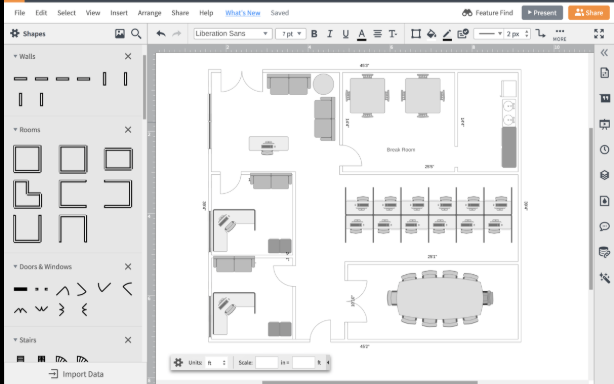
10. Lucidchart Interior Designer
The most analytical tool in this list, great for detailed planning.
Key Features:
- Precise measurements and scale accuracy
- Symbol library for detailed floor plans
- Collaboration tools for sharing with contractors
- Export in multiple formats
Best For: Detailed planning and professional presentations
Pricing: Free version with design limitations
10 Best Free AI Interior Design Tools for Beginners in 2026 (Tested & Reviewed)
Step-by-Step Guide: How to Use Free AI Interior Design Tools
Step 1: Gather Information About Your Space
Before opening any tool, measure your room or take clear photos from multiple angles. Note:
- Room dimensions (length, width, ceiling height)
- Window and door locations
- Current furniture you’re keeping
- Color preferences and style inspirations
Step 2: Choose Your Tool Based on Your Needs
For quick inspiration: Use RoomGPT or Interior AI For detailed planning: Choose Foyr Eve or Planner 5D For shopping: Homestyler or Designblips
Step 3: Input Your Room Details
Create a new project and enter:
- Room type (bedroom, living room, kitchen, etc.)
- Dimensions or upload a photo
- Current items staying in the space
- Your style preferences
Step 4: Generate AI Suggestions
Let the tool create initial designs. Most free AI interior design tools generate 3-10 options instantly.
Step 5: Customize and Refine
Adjust furniture placement, colors, and accessories until you’re satisfied. Most tools allow drag-and-drop editing.
Step 6: Save and Share Your Design
Export your design and share with family, friends, or use it as a shopping guide.
Benefits of Using AI Interior Design Tools
Creativity Without Barriers: Generate ideas you might never have considered yourself, expanding your design vision.
Budget Control: See costs before purchasing through integrated pricing tools and avoid expensive mistakes.
Professional Results: Achieve designer-quality spaces using AI-guided color theory and spatial planning.
Learning Opportunity: Understand design principles by experimenting risk-free in a virtual environment.
Decision Confidence: Visualize changes completely before making purchases, eliminating buyer’s remorse.
Time-Saving: Complete initial designs in hours instead of months of research and planning.
Practical Tips to Get Better Results
Tip 1: Use High-Quality Photos Better input photos lead to more accurate AI renderings. Use natural lighting and multiple angles.
Tip 2: Be Specific With Descriptions Instead of “modern style,” try “Scandinavian minimalist with warm wood tones.” Specificity improves AI suggestions.
Tip 3: Start Simple Don’t overload your first designs. Begin with one or two elements you want to change.
Tip 4: Cross-Reference Multiple Tools Try 2-3 different tools for the same space. Different AI engines offer different perspectives.
Tip 5: Use Mood Boards Save designs you love to create a visual reference library. Patterns in your choices reveal your true style.
Tip 6: Consider Lighting Most tools allow you to adjust lighting. Test how your design looks at different times of day.
Tip 7: Check Furniture Dimensions AI might suggest large pieces that don’t fit. Always verify actual furniture sizes.
Common Mistakes to Avoid
Mistake 1: Ignoring Room Function Beautiful doesn’t mean practical. Ensure your design supports how you actually use the space.
Mistake 2: Overlooking Storage Needs AI tools sometimes minimize storage solutions. Add practical storage to beautiful designs.
Mistake 3: Forgetting Traffic Flow Don’t block natural walking paths. Good design balances aesthetics with movement.
Mistake 4: Mismatching Scale Large furniture in small rooms (or vice versa) looks awkward. Always verify dimensions.
Mistake 5: Ignoring Existing Architecture Your room’s architectural features (fireplace, windows, built-ins) should influence design, not be ignored.
Mistake 6: Chasing Every Trend AI might suggest trendy elements that date quickly. Balance trends with timeless pieces.
The Future of AI Interior Design Tools in 2026 and Beyond
The free AI interior design tools landscape continues evolving rapidly. Emerging developments include:
Augmented Reality (AR) Features: Point your phone at your room and see designs in real-time.
Voice Commands: Describe your vision verbally instead of typing or uploading photos.
Real-Time Video Integration: Design while streaming live video of your actual space.
Sustainability Focus: AI algorithms recommending eco-friendly furniture and materials.
Virtual Try-On: See how specific products from retailers look in your designed space.
AI-Powered Shopping: Seamless purchasing of recommended items directly through design tools.
These advancements will make designing even more accessible and accurate for beginners.
Conclusion
Free AI interior design tools for beginners have democratized interior design, removing financial and skill barriers that traditionally existed. The 10 tools reviewed here each offer unique strengths, whether you prioritize speed, precision, shopping integration, or learning.
Starting with free AI interior design tools is risk-free and costs nothing. You’ll gain confidence in your design choices, visualize your ideal space, and make smarter furniture purchasing decisions.
Whether you’re redesigning one room or planning a full home makeover, these AI-powered platforms deliver professional-quality results without professional-level expense. Begin with the tool that matches your needs, experiment freely, and enjoy the creative process.
Your dream space is just a few clicks away.
Frequently Asked Questions
Q1: Are free AI interior design tools accurate for small spaces?
Yes, many tools excel with small spaces. Tools like Spaceplan AI specifically optimize for apartments and compact rooms, helping maximize every square foot.
Q2: Can I use these tools on mobile devices?
Most tools work on mobile browsers, and several offer dedicated apps. Planner 5D and Homestyler have excellent mobile experiences for on-the-go designing.
Q3: How long does it take to create a design using AI tools?
Initial designs generate within seconds to minutes. Refinement typically takes 15-60 minutes depending on complexity and your familiarity with the tool.
Q4: Can I export designs to use with a professional designer?
Yes, most tools allow exporting in various formats (PDF, PNG, 3D files). Lucidchart specifically supports contractor-friendly exports.
Q5: Do I need design experience to use these tools?
Not at all—these tools are specifically built for beginners. If you can describe your style preferences, you can create professional designs. Most include built-in learning resources for completely new users.
